HTTP CLIENT
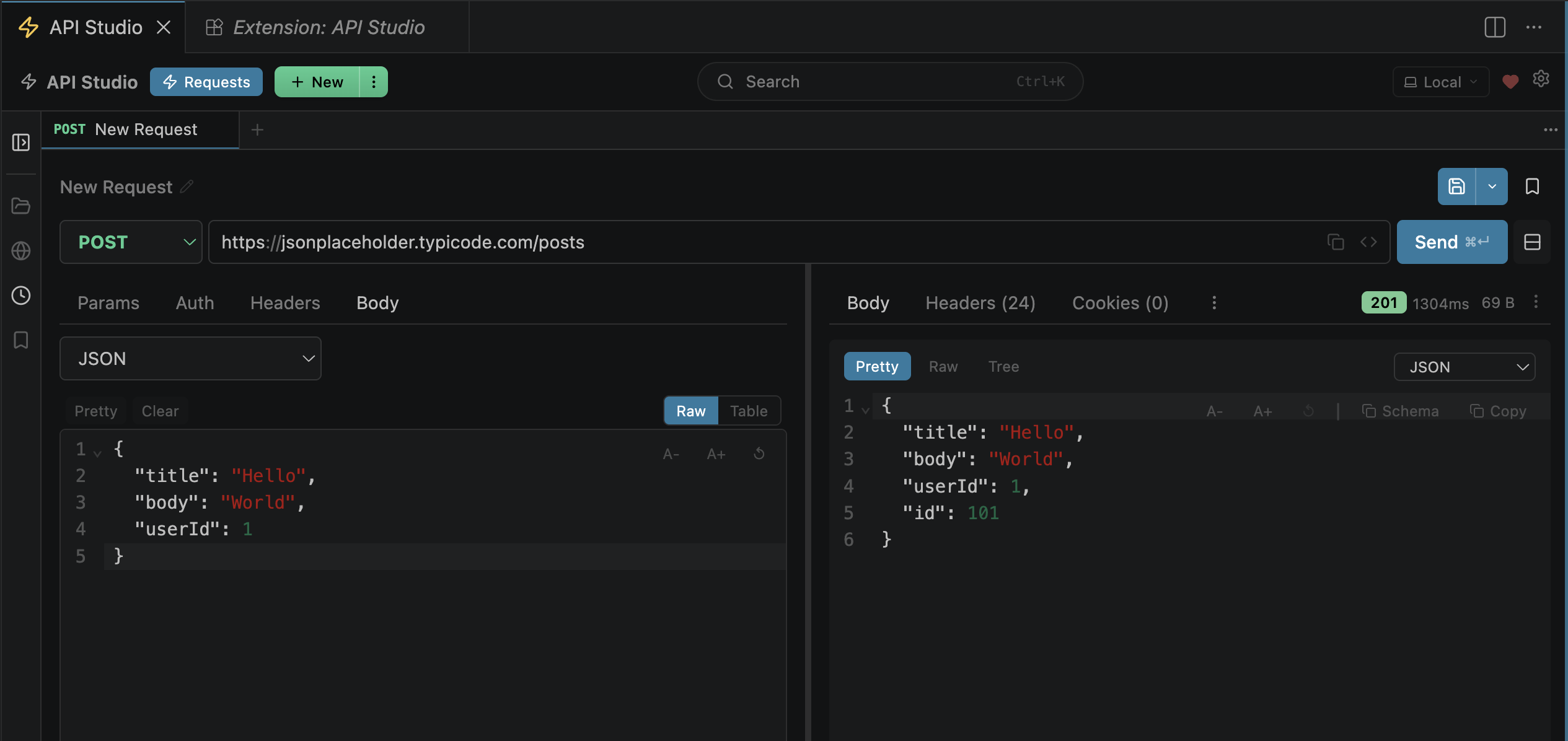
HTTP Methods
Select the method from the dropdown left of the URL bar. All standard methods are built-in, plus you can type any custom method.
Methods are color-coded in the tab bar and sidebar for quick identification. The method dropdown is a native <select> for maximum compatibility.
URL Bar
Enter your endpoint URL. It supports:
{{base_url}}/users/{{id}}. Resolved from active environment, collection vars, or vault secrets.?key=val in the URL auto-populates the Params tab, and vice versa. Bidirectional.https://, http://, ws://, wss://, grpc://, grpcs://{{var}} to see its resolved value and source (env, vault, collection).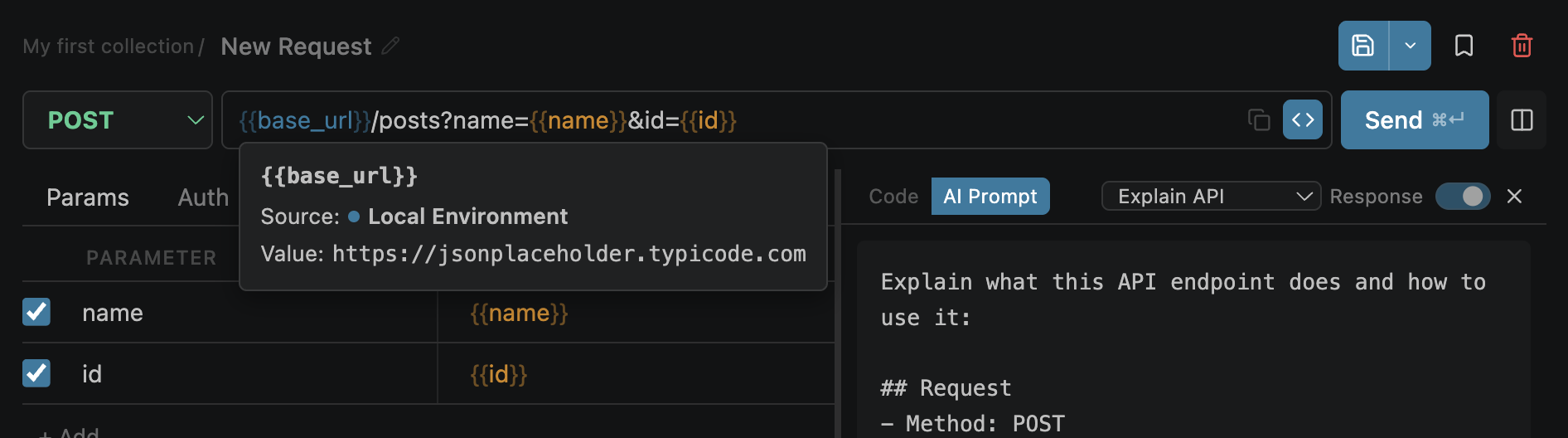
Resolved variable — shows value + source
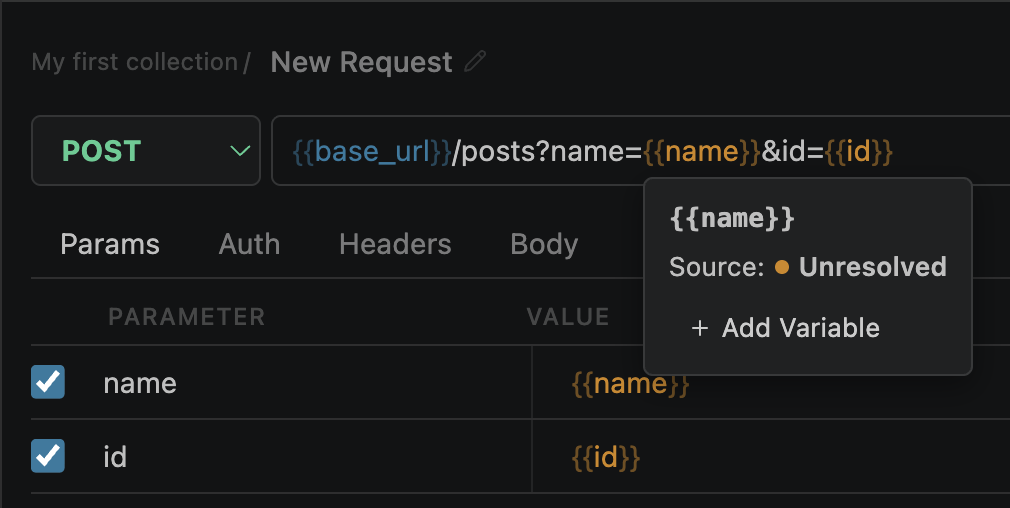
Unresolved — click "Add Variable" to create it
Send & Cancel
| Action | How | Notes |
|---|---|---|
| Send | Click Send or Cmd+Enter | Button shows a loading spinner while in-flight |
| Cancel | Click the spinning button (becomes Cancel) | Aborts the request immediately via AbortController |
| SSE Stream | Auto-detected when response is text/event-stream | Button becomes "Stop" — events shown live in Stream tab |
Execution Pipeline
When you click Send, the request goes through this pipeline:
Concurrent Requests
Multiple tabs can have in-flight requests simultaneously. Each tab has its own independent AbortController — cancelling one request doesn't affect others.
tabIdHTTP/2 Auto-Negotiation
API Studio uses HTTP/2 when the server supports it, automatically falling back to HTTP/1.1 otherwise. No configuration needed.
The protocol used is shown in the Request tab of the response viewer (e.g. HTTP/2 or HTTP/1.1).
SSL & Certificates
SSL verification is enabled by default. For self-signed certificates during development:
cURL Import
Paste a cURL command anywhere in the URL bar — API Studio automatically detects and parses it into a full request.
Supported flags
-X, --requestHTTP method-H, --headerCustom headers-d, --dataRequest body-F, --formMultipart form-data--jsonJSON shorthand-u, --userBasic auth--oauth2-bearerBearer token-G, --getForce GET + query body-b, --cookieCookie header-A, --user-agentUser-Agent headerExample — paste this into the URL bar:
curl -X POST https://api.example.com/users \
  -H "Authorization: Bearer token123" \
  -H "Content-Type: application/json" \
  -d '{"name":"John","email":"john@example.com"}'
Cookies
API Studio has a built-in cookie jar that automatically stores and sends cookies across requests.
Set-Cookie headers are parsed and stored per domain.openpost/cookies.json (workspace-local)