HTTP CLIENT
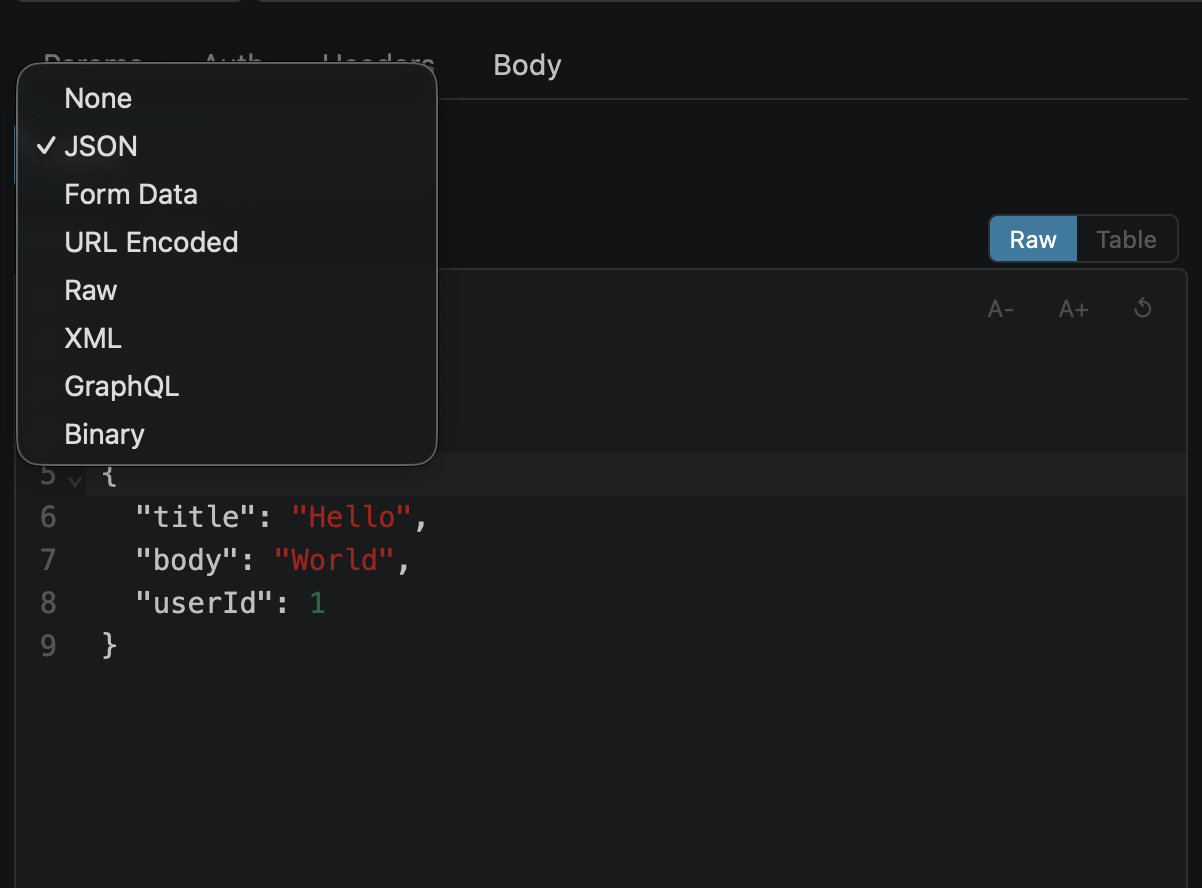
Body Types at a Glance
| Type | Content-Type | Editor | Use Case |
|---|---|---|---|
| none | (removed) | — | GET requests, no body |
| json | application/json | CodeMirror 6 (JSON mode) | REST APIs, most common |
| form-data | (auto with boundary) | Key-value rows + file picker | File uploads, multipart |
| x-www-form-urlencoded | application/x-www-form-urlencoded | Key-value rows | Simple form submissions |
| raw | text/plain | CodeMirror 6 (raw mode) | Plain text payloads |
| xml | application/xml | CodeMirror 6 (XML mode) | SOAP, XML-based APIs |
| graphql | application/json | CodeMirror 6 (GraphQL + JSON) | GraphQL queries & mutations |
| binary | application/octet-stream | File picker | Binary file uploads |
JSON
The most common body type. Uses a CodeMirror 6 editor with:
{{variable}} tokens colored by source (green = env, blue = vault, orange = unresolved)// and /* */) — stripped before sendingExample with comments and variables:
{
  // User creation payload
  "name": "{{user_name}}",
  "email": "{{user_email}}",
  "role": "admin",
  /* Temporary fields for testing
  "debug": true,
  "trace_id": "abc-123"
  */
}
Comments are stripped before sending — the server receives valid JSON.
Form Data (multipart)
For file uploads and multipart form submissions. Each row is either a text field or a file field.
fetch auto-sets it with the correct multipart boundaryNote: Unresolved file fields show a ⚠ warning. Clicking Send with unresolved files shows an error toast — pick the file first.
URL Encoded
Simple key-value pairs encoded as key1=value1&key2=value2. Same row editor as form-data but without file fields.
Values support {{variable}} interpolation. Special characters are URL-encoded automatically.
Raw & XML
Raw
Plain text editor. Content-Type set to text/plain. Supports // and /* */ comments.
XML
XML-highlighted editor. Content-Type set to application/xml. Supports <!-- --> comments.
Binary
Upload a single binary file as the request body. Click "Choose File" to pick from disk.
application/octet-stream (editable in Headers tab)GraphQL
Splits into two editors: Query (GraphQL syntax) and Variables (JSON). Sent as application/json with { "query": "...", "variables": {...} }.
# comments; Variables use // /* */operationName included when document has multiple operationsSee the full GraphQL documentation for schema loading, query builder, and subscriptions.
Inline Comments
Comment out lines to temporarily exclude them from the request. Comments are syntax-highlighted (dimmed) and automatically stripped before sending.
| Body Type | Comment Syntax |
|---|---|
| JSON / Raw | // single-line /* multi-line */ |
| XML | <!-- comment --> |
| GraphQL Query | # single-line |
| GraphQL Variables | // single-line /* multi-line */ |
Content-Type Auto-Sync
When you change the body type dropdown, the Content-Type header is automatically updated. A toast notification shows when it changes.
| Body Type | Content-Type Set | Note |
|---|---|---|
| none | (removed) | Header deleted |
| json | application/json | |
| raw | text/plain | |
| xml | application/xml | |
| graphql | application/json | Sent as JSON payload |
| x-www-form-urlencoded | application/x-www-form-urlencoded | |
| form-data | (removed) | Auto-set by fetch with boundary |
| binary | application/octet-stream |
You can freely edit the Content-Type header after the auto-sync — no further automatic changes will overwrite your manual edit until you switch body types again.