HTTP CLIENT
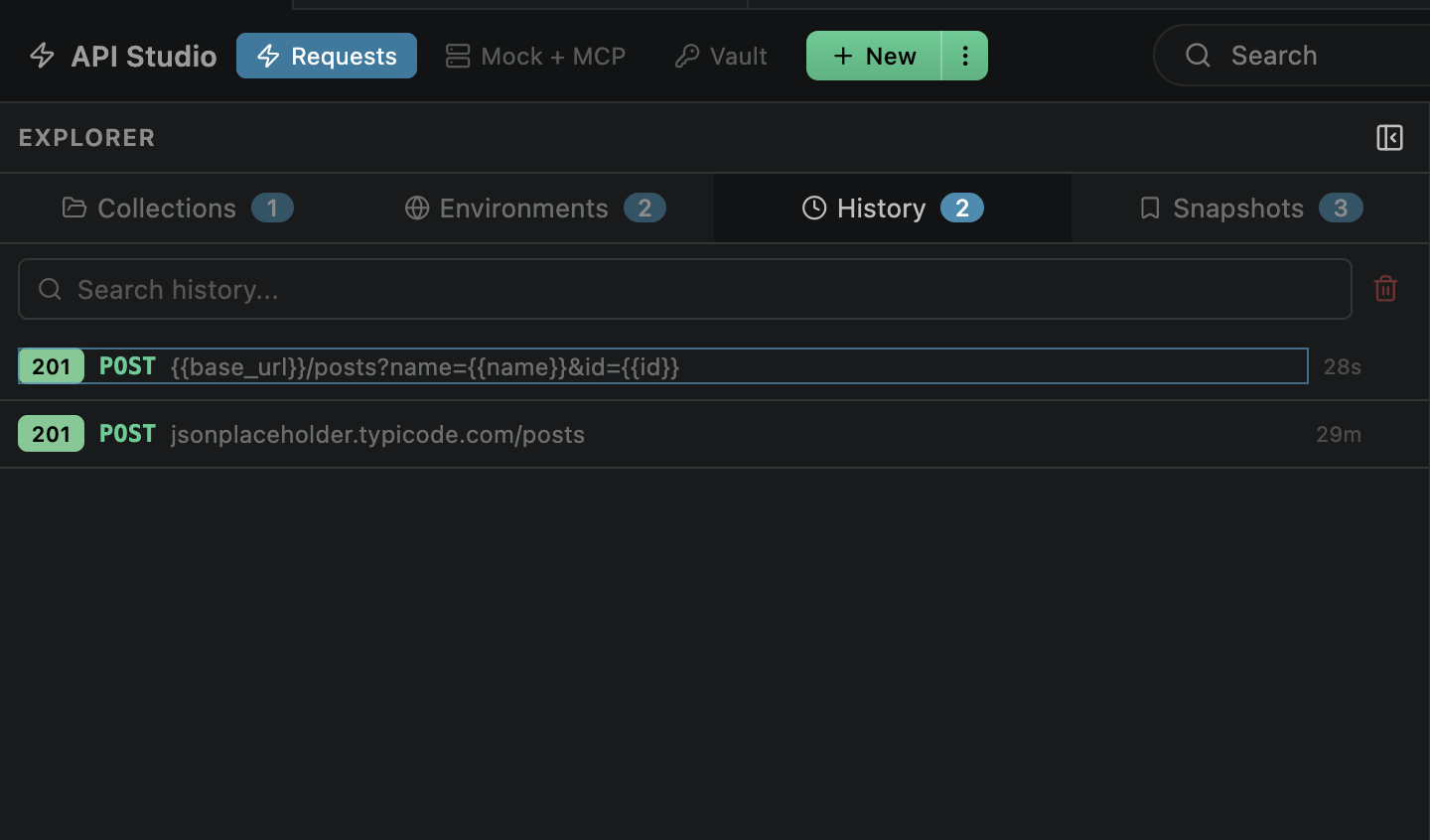
Auto-Save Behavior
Every request you send is automatically saved to history. No manual action needed — just hit Send and it's recorded.
Browsing History
The History tab in the sidebar shows all past requests. Each entry displays key information at a glance:
Method is color-coded by type
Status code + relative timestamp
Click any entry to re-open it as a new tab with the saved request configuration and response pre-loaded. You can continue editing and re-send from there.
Per-URL History
The response viewer includes a history dropdown that filters entries by the current request URL. Browse previous responses for the same endpoint without leaving the request tab.
Searching
Filter history entries from the sidebar search box. Matches against:
Useful when you remember the endpoint but not exactly when you called it. Type users to find all requests to user-related endpoints, or POST to filter by method.
Managing Entries
Keep your history tidy with these management options:
Delete individual entries
Hover over any entry in the sidebar and click the × button to remove it
Clear all history
Right-click the History tab header for the clear option, or let the cap handle cleanup automatically
History Cap
History is capped at a configurable maximum to prevent unbounded growth:
| Setting | Value |
|---|---|
| openPost.maxHistory | Maximum entries to keep (default: 500) |
| Trim behavior | Oldest entries removed on each new send when cap is reached |
| Configuration | VS Code Settings → Extensions → API Studio → Max History |
Set to a higher value for long-running projects where you want to keep more history. The cap applies independently to local and global history.
Global vs Local
History is stored in two scopes, both visible in the History sidebar tab with scope labels:
Local History
Workspace-specific. Only visible when that folder is open.
.openpost/history.json
Global History
Shared across all workspaces. Always accessible.
~/.openpost/global/history.json
Both scopes are shown together in the sidebar. When no workspace is open, only global history is available. Local history files can be committed to git to share request history with your team.
Secret Scrubbing
Vault secrets are automatically scrubbed from persisted history entries before writing to disk. This prevents secrets from leaking into files that may be committed to git.
{{variable_name}} placeholder