MOCK SERVERS
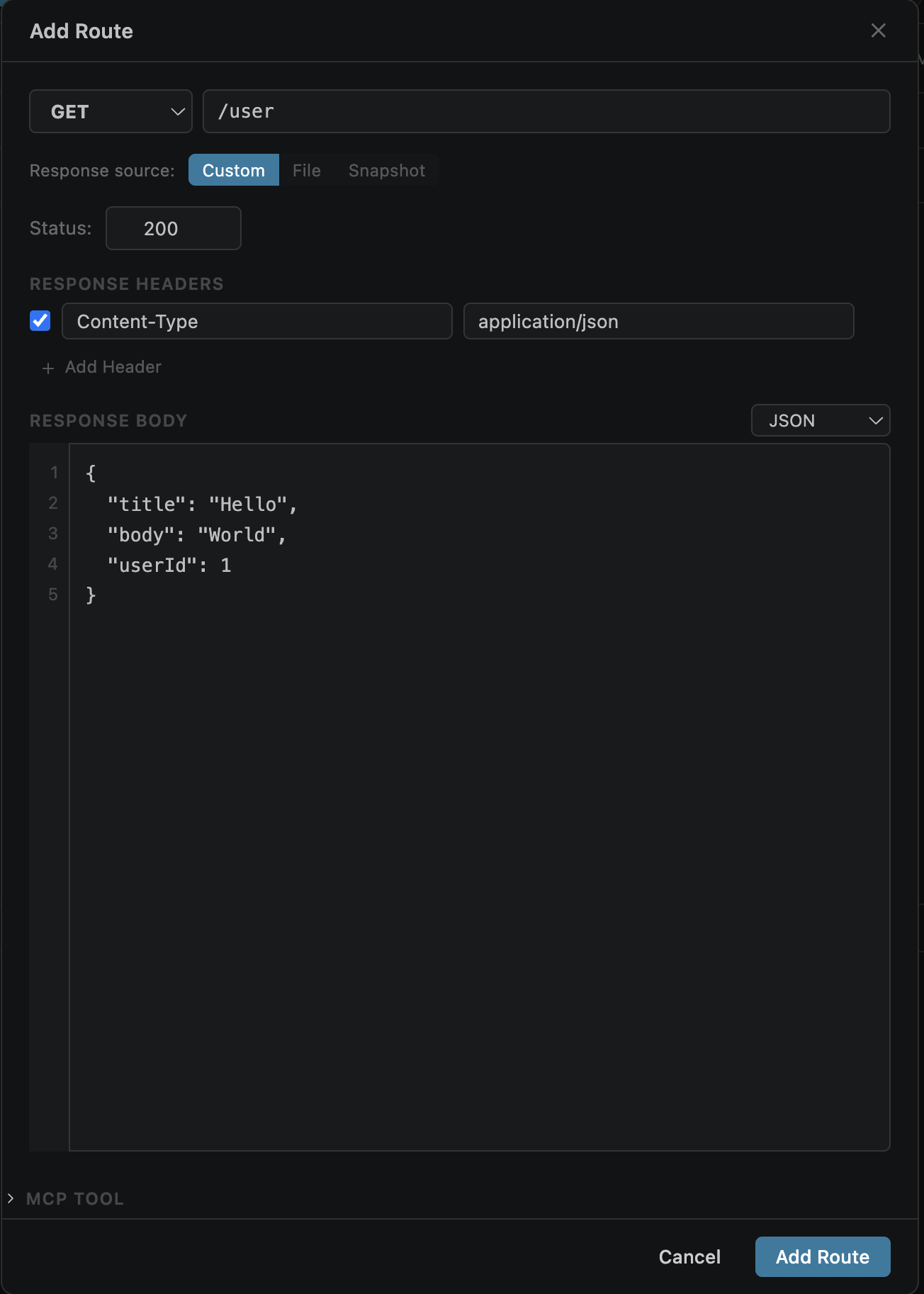
Adding Routes
Click + Add Route on a mock server to create a new route. Each route defines how the server responds to a specific request pattern.
Configure for each route:
/users, /users/:idPath Matching
Routes support several matching patterns to handle different request paths:
| Pattern | Example | Matches |
|---|---|---|
| Exact | /users | Only /users |
| Path params | /users/:id | /users/123, /users/abc (param value in logs) |
| Wildcard | /api/* | Any path under /api/ |
Method matching:
First matching route wins — place more specific routes above generic ones.
Response Body
Three modes for configuring response content:
Static Body
Type JSON, text, XML, or HTML directly in the body editor. Ideal for small, predictable responses.
File Response
Serve a file from disk with auto-detected Content-Type. See File Responses below.
Snapshot Response
Use a saved snapshot variant as the response body. See Snapshot Responses below.
{{variable}} interpolation from the active environment — making mock responses dynamic.
Response Headers
Add custom response headers via a key-value table in the route editor. Headers are sent with every response from that route.
Common headers:
Content-Type is auto-set based on body type, but can be overridden{{variable}} interpolation from the active environmentStatus Code
Set any valid HTTP status code for the route response. Defaults to 200.
Success responses
Client errors — test error handling
Server errors — test resilience
Redirects — test redirect handling
Use 4xx and 5xx status codes to simulate error conditions and test how your application handles failures.
File Responses
Serve files directly from disk as mock responses. Select the File tab in the route editor and pick a file.
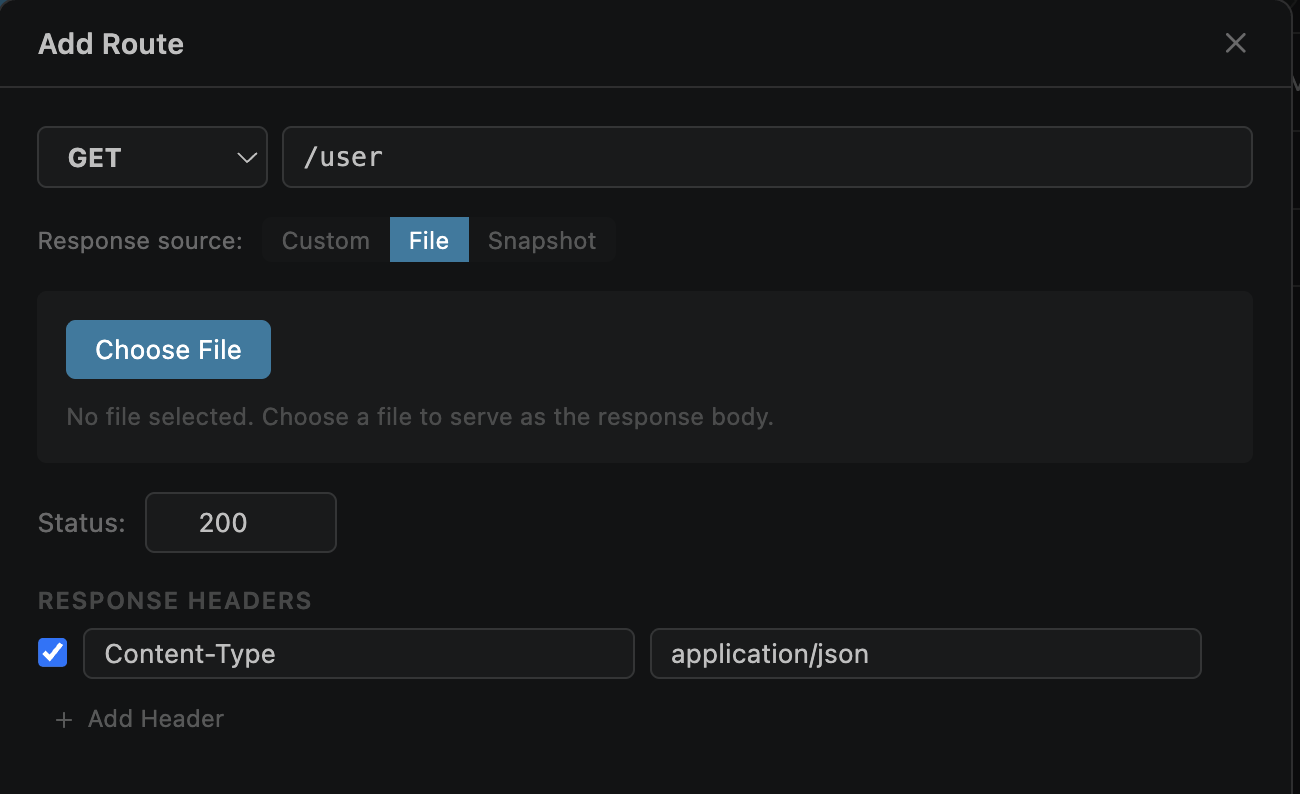
How it works:
Content-Type based on file extensionUseful for:
Snapshot Responses
Use a previously saved snapshot variant as the mock response. Select the Snapshot tab in the route editor and pick a saved snapshot.
Variables in Responses
Response bodies and headers support {{variable}} interpolation. Variables are resolved from the active environment at request time.
Example dynamic mock response:
{
  "user": "{{current_user}}",
  "env": "{{env_name}}",
  "token": "{{api_token}}"
}