MOCK SERVERS
Overview
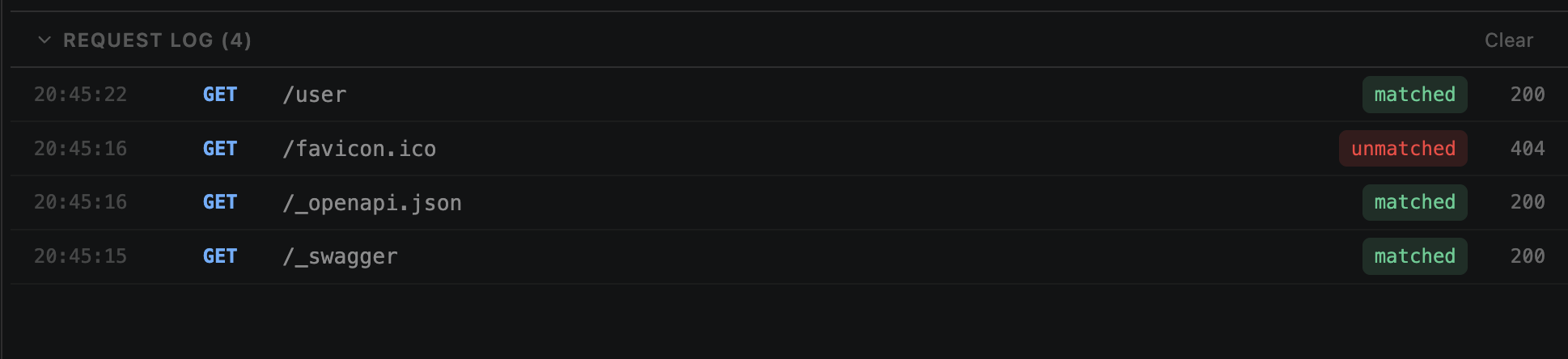
Every incoming request to a running mock server is logged in real-time. The log pane is resizable — drag to expand or collapse.
Logs are per-server — each mock server has its own log
Logs are ephemeral — cleared when server stops or VS Code closes
Log Entries
Each entry shows:
Timestamp
HTTP method (color-coded)
Request path
Matched route (or 'unmatched')
Response status code sent
Tip: Click an entry to see full request details — headers, body, and query params.
Matched vs Unmatched
matched
Request matched a configured route — the configured response was served.
unmatched
No route matched — 404 returned. Helps you discover which endpoints your app is calling that you haven't mocked yet.
Filtering
When the log gets busy during development, use filters to focus:
Filter by matched/unmatched status
Filter by method or path text
Clear & Limits
Clear button — resets the log
Max log entries — configurable per server (default 100)
Oldest entries trimmed when limit reached
Logs not persisted to disk