COLLECTIONS
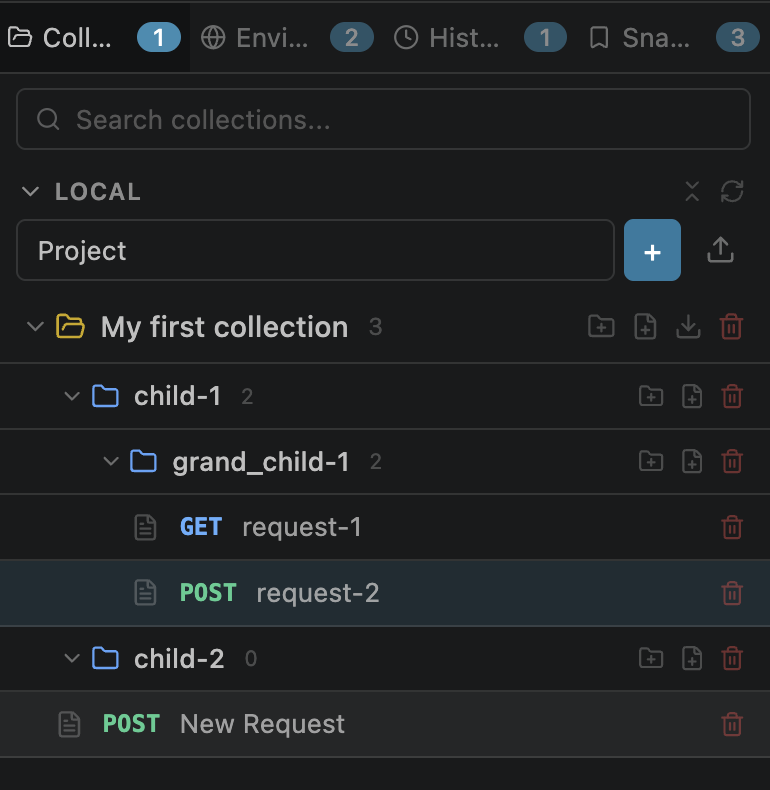
Creating Folders
Folders group related requests within a collection. Create them from the sidebar context menu.
UUID v4 identifierUnlimited Nesting
Folders can be nested to any depth using a recursive CollectionFolder structure. There is no artificial limit on nesting levels.
requests[] and folders[] arraysCommon organization patterns:
/users, /posts, /auth
auth → create → verify
dev, staging, production
Drag & Drop
Move requests and folders between parents with drag-and-drop. Works in both the webview sidebar and the VS Code native tree view.
Reordering
Item display order is determined by array position in the collection JSON — no manual rank numbers to manage.
reorderCollectionItem message handles all move operations internallyDeep Search
The sidebar search box filters across all nested folders instantly as you type.
Collection > Folder > RequestBest Practices
Recommended approaches for keeping your collections organized and maintainable.
Group by resource
Create folders per resource: /users, /posts, /auth
Group by workflow
Order requests by flow: Login → Get Token → Access Resource
Use collection variables
Set shared base URLs as collection variables so all requests use {{base_url}}
Set auth at collection level
Configure auth once at the collection or folder level and let all child requests inherit it
One collection per API
Keep one collection per API or microservice for clear boundaries and easy sharing