COLLECTIONS
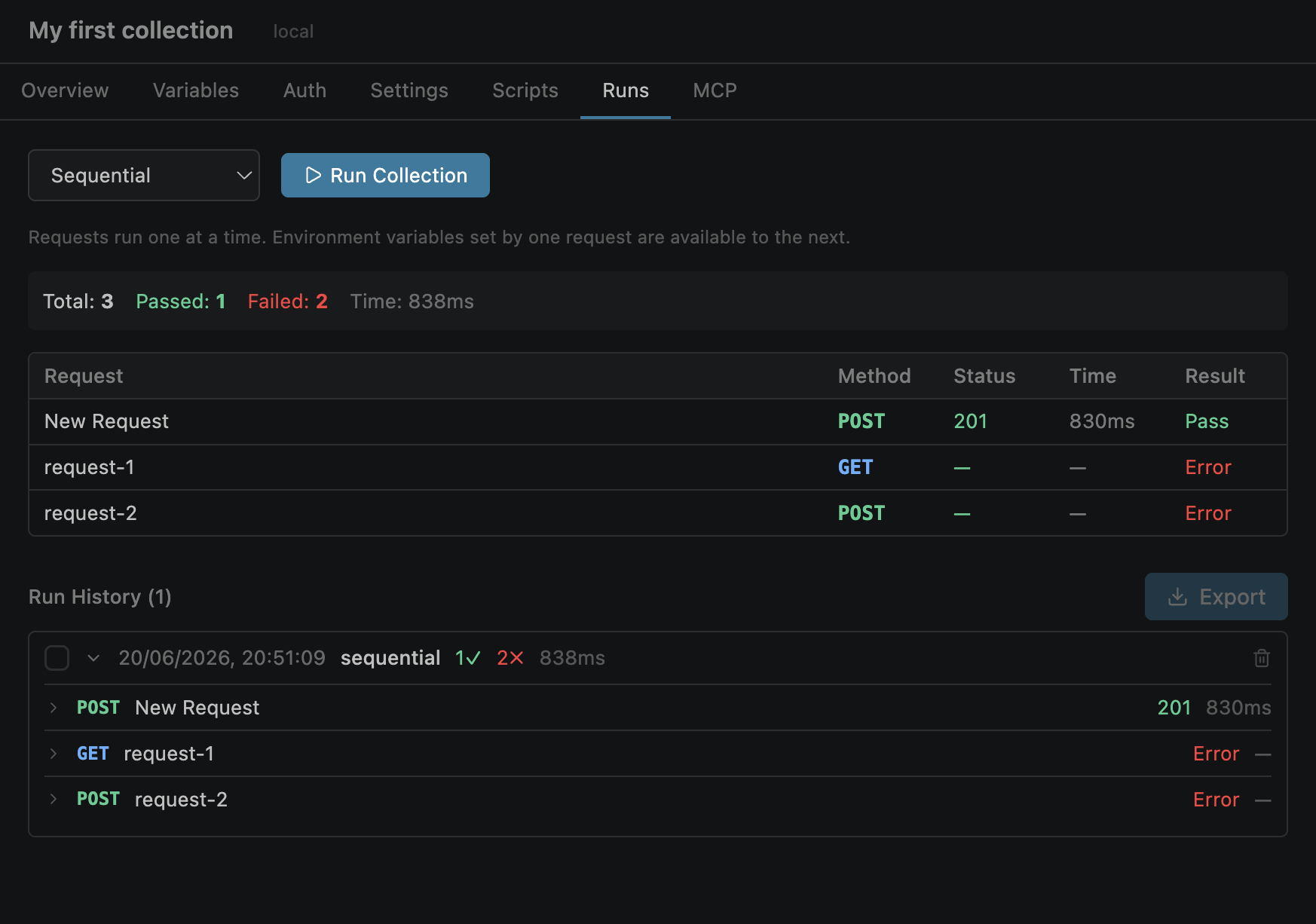
Overview
Collection runs let you execute every request in a collection with a single action, ideal for integration testing, smoke tests, and automated workflows.
openpost run "Collection Name"Sequential Mode
Requests execute one after another in array order, sharing a single environment context. This enables powerful variable chaining between requests.
{{token}} variable used by all subsequent requests.
Parallel Mode
Requests execute concurrently for faster completion. Each request gets its own isolated copy of environment variables — no cross-request state leakage.
| Feature | Sequential | Parallel |
|---|---|---|
| Execution | One at a time, in order | N at a time, concurrent |
| Variable sharing | Shared — chaining works | Isolated — no chaining |
| Best for | Dependent workflows | Independent smoke tests |
| Speed | Slower (serial) | Faster (concurrent) |
Progress & Results
During execution, a live progress bar tracks completion. After the run, a detailed results table shows the outcome for each request.
Row color coding:
HTML Reports
Export your run results as a standalone HTML report — self-contained with no external dependencies, ready to share or archive.
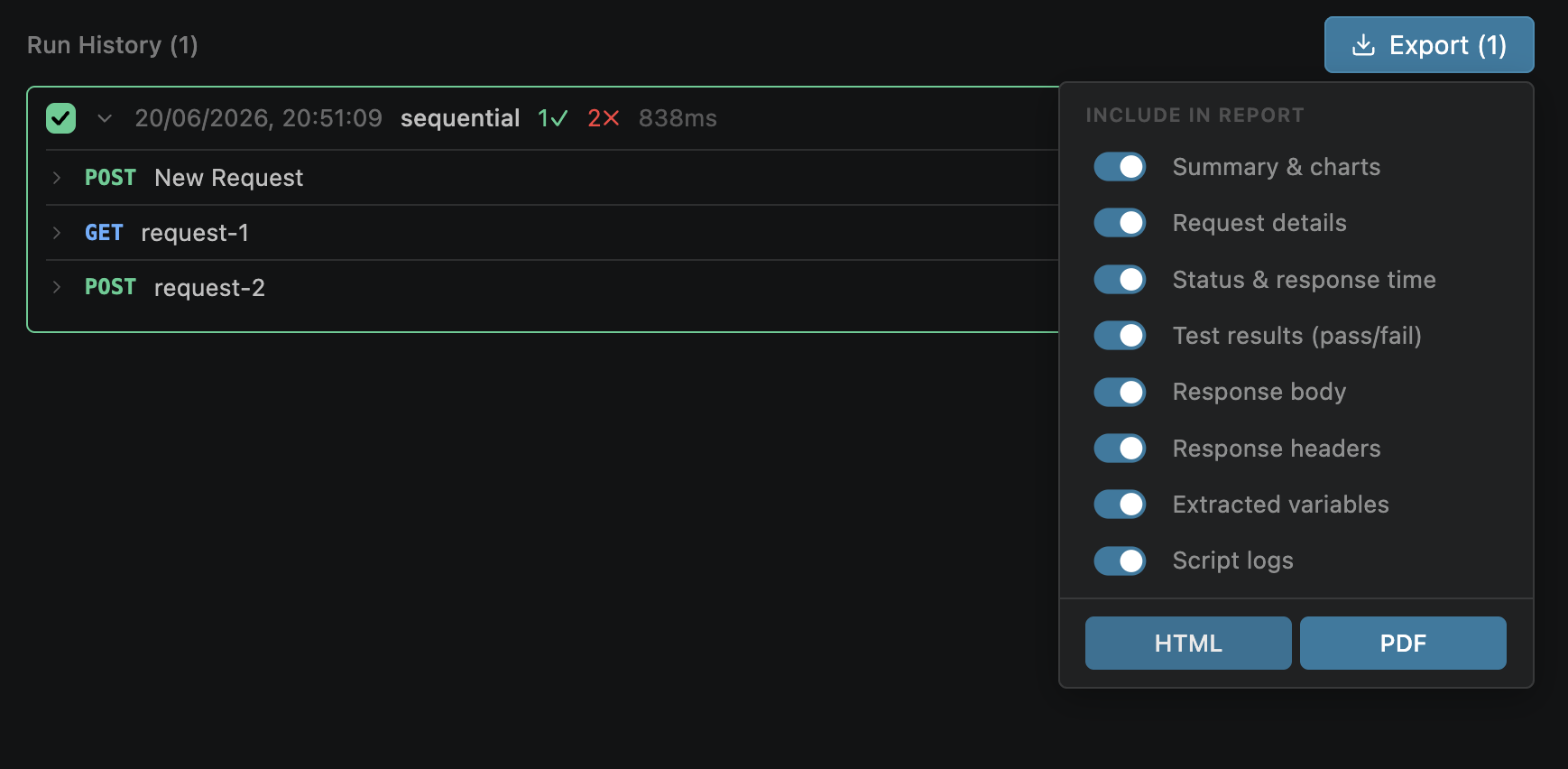
Click the export button after a run to generate the HTML report
CLI Runs
Run collections from the terminal for CI/CD integration, scripted workflows, or headless testing.
openpost run "Collection Name" --env production
openpost run "Collection Name" --mode parallel --concurrency 10
openpost run "Collection Name" --filter "GET*"
openpost run "Collection Name" --output-file results.json| Flag | Description |
|---|---|
| --env | Environment name to activate |
| --mode | sequential or parallel |
| --concurrency | Number of concurrent requests (parallel mode) |
| --filter | Glob pattern to run a subset of requests |
| --output-file | Write results to JSON file for CI integration |
Exit codes:
See the CLI documentation for full reference.
Variables & Chaining
In sequential mode, variables extracted by one request are immediately available to subsequent requests — enabling powerful multi-step workflows.
POST /auth/login extracts token → GET /users uses {{token}}Example chaining workflow:
1. POST /auth/login        → setVariable: token = $.access_token
2. GET  /users             → uses {{token}} in Authorization header
3. POST /users/{{userId}}  → uses {{userId}} from step 2 response