COLLECTIONS
Postman Import
Import your existing Postman collections directly into API Studio with full structure preservation.
Supports Postman Collection v2.0 and v2.1 format
Import from file (JSON) via sidebar right-click → Import
Preserves: folders, requests, headers, body, auth (basic/bearer), variables, scripts
Collection variables mapped to API Studio collection variables
Note: Pre-request and test scripts are imported as-is. Postman-specific APIs (like
pm.environment, pm.globals) may need manual adjustment to use API Studio's scripting API.
OpenAPI / Swagger Import
Generate a full collection from any OpenAPI or Swagger spec — complete with folders, requests, and an environment.
Supports OpenAPI 3.0/3.1 and Swagger 2.0 specs
Both JSON and YAML formats accepted
Auto-generates: collection (one per spec), folders (per tag/path group), requests (per operation)
Auto-creates an environment with server URL as
base_url variablePath parameters, query params, headers, and request body schemas extracted
Auth schemes (
apiKey, http bearer/basic, oauth2) mapped to API Studio auth configcURL Import
Paste any cURL command and API Studio automatically parses it into a request.
Paste into the URL bar — cURL commands are auto-detected and parsed
Or via Management MCP:
import_curl toolSupports all major flags:
-X, -H, -d, -F, --json, -u, --oauth2-bearer, -G, -IForm-data file fields: path resolved if file exists, otherwise shows unresolved marker
Example — paste this into the URL bar:
curl -X POST https://api.example.com/users \
  -H "Content-Type: application/json" \
  -H "Authorization: Bearer sk-abc123" \
  -d '{"name": "John", "email": "john@example.com"}'
See the Sending Requests page for the full list of supported cURL flags.
API Studio JSON Export
The native format — a lossless copy of your collection with all fields preserved.
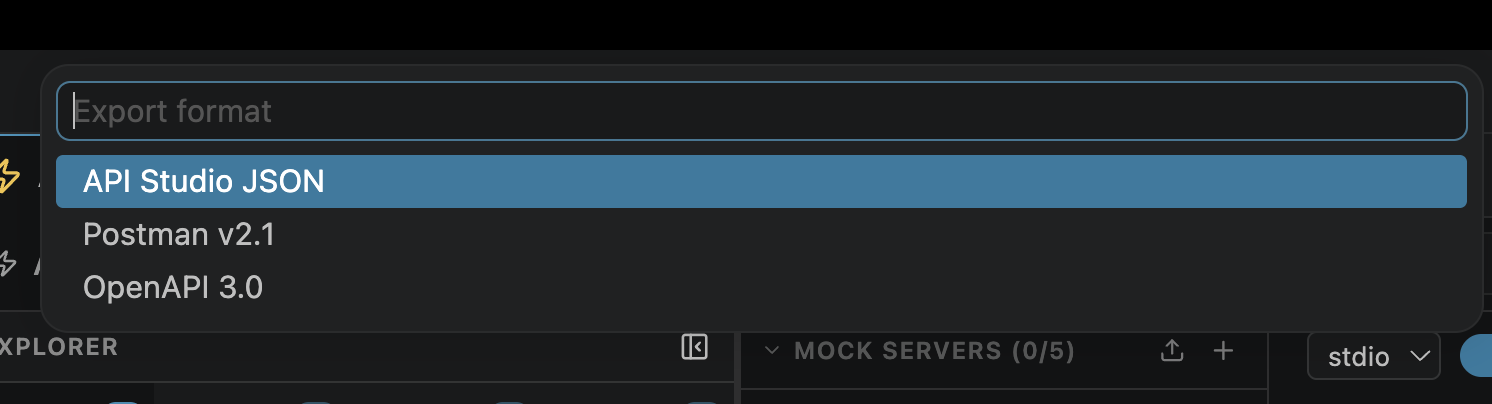
Right-click collection → Export → API Studio JSON
Native format: exact copy of the
collections.json entryImport via: sidebar → Import → API Studio JSON
Lossless: all fields preserved — auth, scripts, testRules, setVariables, MCP config
Best for team sharing and backup
Tip: Commit
.openpost/collections.json to git for version-controlled API collections that the whole team can share.
Postman Export
Generate a Postman-compatible collection file for sharing with teammates who use Postman.
Right-click collection → Export → Postman v2.1
Generates a Postman-compatible JSON file
Maps: folders, requests, headers, body, basic/bearer auth, variables
Can be imported directly into Postman
OpenAPI Export
Generate an OpenAPI 3.0 specification from your collection — useful for documentation and API-first workflows.
Right-click collection → Export → OpenAPI 3.0
Each request becomes an operation (path + method)
Headers, params, and body schemas inferred from request data
Also via CLI:
openpost export openapi "Collection Name"Also via Management MCP:
export_openapi toolMultiple export paths:
| Method | How |
|---|---|
| GUI | Right-click collection → Export → OpenAPI 3.0 |
| CLI | openpost export openapi "Collection Name" |
| MCP | export_openapi tool via Management MCP |