CODE EXPORT
Overview
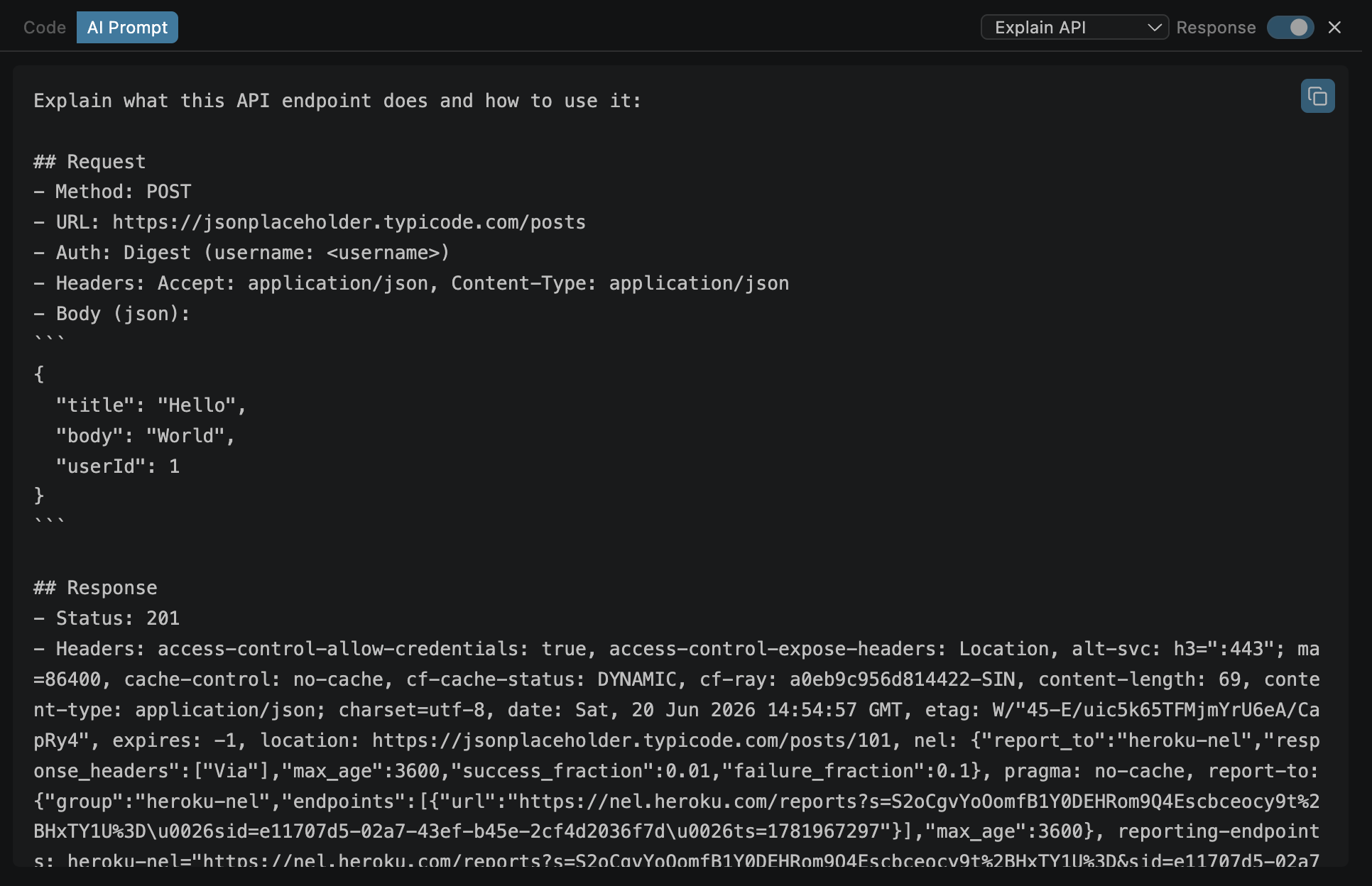
Generate copy-paste-ready prompts for AI tools (ChatGPT, Claude, Copilot, etc.) directly from your current request + response. Each prompt includes full context — method, URL, auth, headers, body, and response — so the AI has everything it needs to help.
</> button) → AI Prompt tab5 Prompt Dialects
Each dialect generates a structured prompt optimized for a specific task:
| Dialect | What it generates |
|---|---|
| Explain API | "Help me understand what this API endpoint does" — includes full request/response for the AI to analyze |
| Write Integration | "Write production-ready code to integrate with this API" — includes auth pattern, request shape, response shape |
| Debug Response | "Help me troubleshoot this API response" — includes the unexpected response, headers, status code |
| Write Tests | "Generate test cases for this API endpoint" — includes request/response examples, edge cases to cover |
| Generate Docs | "Create API documentation for this endpoint" — includes full request/response to document |
How to Use
Send a request
The response adds context to the prompt — richer prompts lead to better AI answers.
Click the </> button
Opens the code export panel.
Switch to the "AI Prompt" tab
Found alongside the language code export tabs.
Select dialect from dropdown
Choose the task you want AI help with: Explain, Integrate, Debug, Test, or Document.
Click "Copy"
Paste into your AI tool of choice — ChatGPT, Claude, Copilot, or any other.
What's in the Prompt
Each generated prompt includes structured sections for AI readability:
Request
- • HTTP method + full URL
- • Request headers (with auth)
- • Request body (formatted)
- • Content type
Response (if available)
- • Response status + headers
- • Response body
- • Content type
{{placeholders}}