CODE EXPORT
Overview
Generate ready-to-use code from any request in 15 languages. Click the </> button next to Send to open the code export panel.
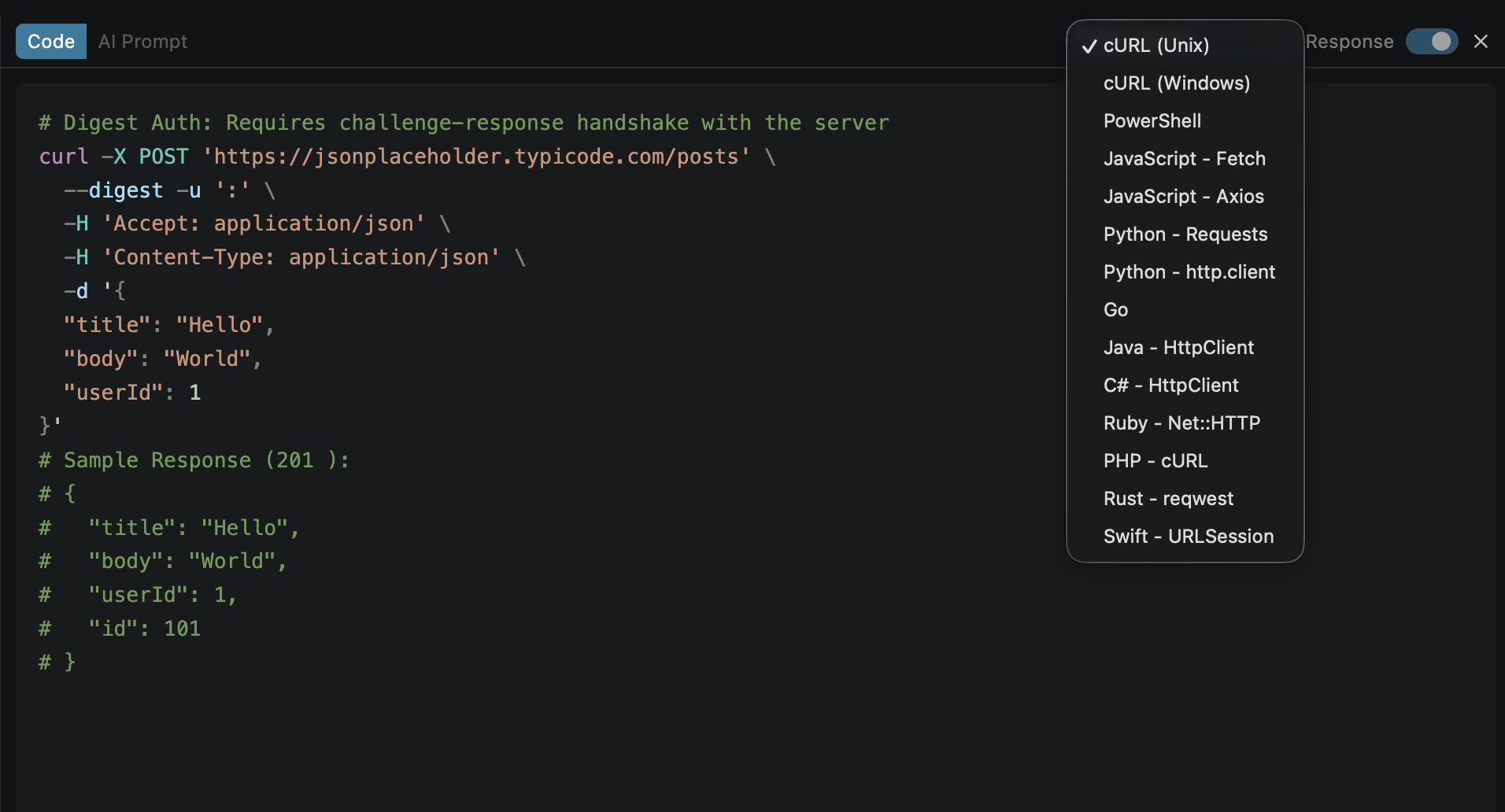
{{base_url}} becomes the actual valueSupported Languages (15)
All major languages and tools covered — from shell scripts to compiled languages:
| Language | Library / Tool | Notes |
|---|---|---|
| cURL (Unix) | curl CLI | Bash syntax, single-quotes |
| cURL (Windows) | curl CLI | cmd syntax, double-quotes, ^ line continuation |
| PowerShell | Invoke-WebRequest | PowerShell cmdlet |
| JavaScript (Fetch) | fetch API | Browser/Node.js fetch API |
| JavaScript (Axios) | axios | axios library with async/await |
| Python (Requests) | requests | requests library |
| Python (http.client) | http.client | stdlib, no dependencies |
| Go | net/http | stdlib |
| Java | HttpURLConnection | Java 11+ |
| C# | HttpClient | .NET |
| Ruby | net/http | stdlib |
| PHP | cURL extension (curl_*) | cURL extension |
| Rust | reqwest + tokio | reqwest crate with tokio |
| Swift | URLSession | Foundation framework |
| grpcurl | grpcurl CLI | gRPC CLI tool (only for gRPC requests) |
How to Export
Five steps from request to code — no need to send the request first:
Build your request
Set the URL, headers, body, and auth as needed
Click the </> button
Located in the request builder toolbar, next to the Send button
Select language from dropdown
Choose from 15 languages — your selection is remembered
Code generated instantly
All variables resolved, auth injected, body serialized for the target language
Click 'Copy' to clipboard
Paste directly into your project or terminal
What's Included in Generated Code
The generated code includes everything needed to reproduce the request:
-plaintext flag, -proto path, -H metadata headers, and -d message body.
Examples
Given a POST request to https://api.example.com/users with Bearer auth and a JSON body, here's the output in three languages:
cURL (Unix)
curl -X POST 'https://api.example.com/users' \
  -H 'Authorization: Bearer token123' \
  -H 'Content-Type: application/json' \
  -d '{"name":"John"}'
Python (Requests)
import requests

url = "https://api.example.com/users"
headers = {
    "Authorization": "Bearer token123",
    "Content-Type": "application/json"
}
payload = {"name": "John"}

response = requests.post(url, headers=headers, json=payload)
print(response.json())
JavaScript (Fetch)
const response = await fetch("https://api.example.com/users", {
  method: "POST",
  headers: {
    "Authorization": "Bearer token123",
    "Content-Type": "application/json"
  },
  body: JSON.stringify({ name: "John" })
});

const data = await response.json();
console.log(data);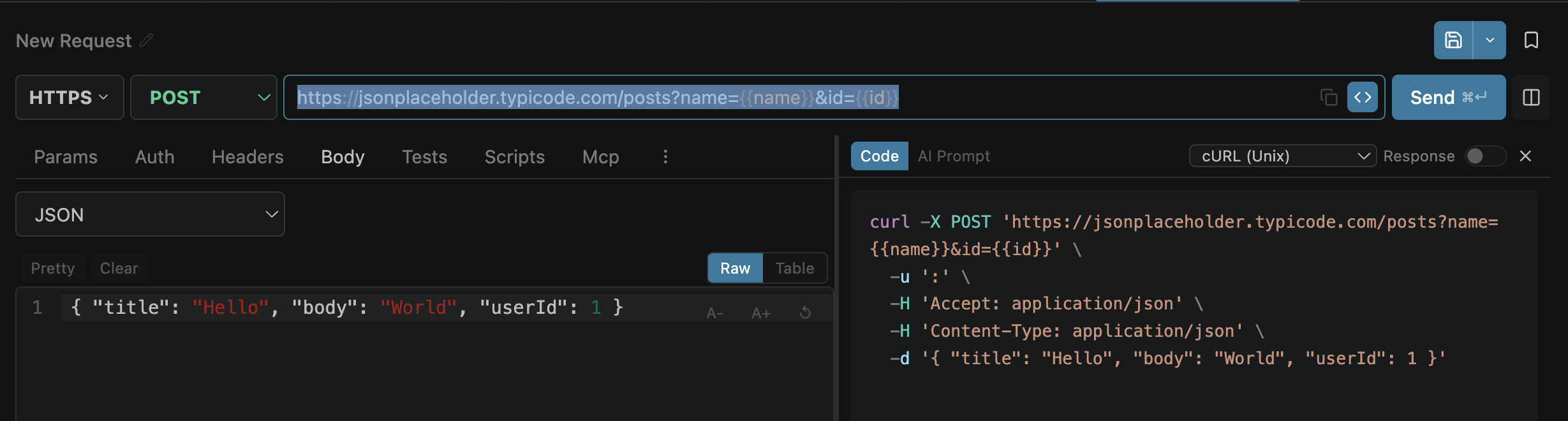
Code export panel showing generated cURL from a request with auth and JSON body
CLI Export
Export code from the command line — useful for scripting and CI/CD pipelines:
openpost export curl "Collection" "Request Name" --env productionexport_curl tool