TESTING
Overview
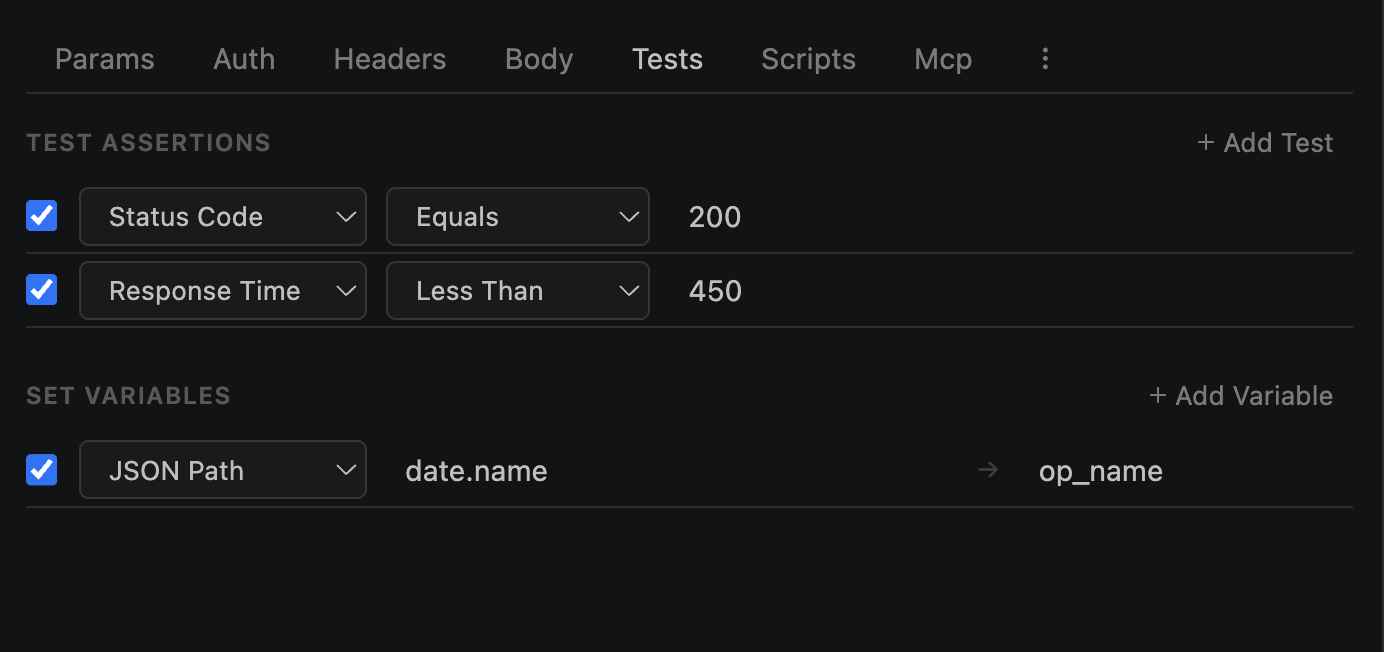
GUI Test Rules provide no-code assertions in the Tests tab (available in Advanced Mode). Add rules via a dropdown — no JavaScript needed. Results are shown in the response Test Results tab.
Saved with the request — rules persist across sessions
Evaluated after the HTTP response is received, before test scripts run
11 source types and 15 operators cover most assertion needs
Test Sources
11 source types determine what part of the response to test:
| Source | What it tests | Property field |
|---|---|---|
| status | HTTP status code (number) | — |
| time | Response time in milliseconds | — |
| size | Body size in bytes | — |
| body | Full response body text | — |
| body-contains | Check if body contains a substring | — |
| body-is-json | Validate body is valid JSON (no value needed) | — |
| body-schema | Validate against JSON schema | — |
| jsonpath | Extract value via JSONPath expression | $.data.id |
| header | Check a response header value | header name |
| content-type | Response Content-Type header | — |
| content-length | Response Content-Length header | — |
Operators
15 operators for comparing actual vs expected values:
| Operator | Description | Category |
|---|---|---|
| eq | Equals | Equality |
| neq | Not equals | Equality |
| gt | Greater than | Numeric |
| gte | Greater than or equal | Numeric |
| lt | Less than | Numeric |
| lte | Less than or equal | Numeric |
| contains | Contains substring | String |
| not-contains | Does not contain substring | String |
| matches | Matches regex pattern | Regex |
| not-matches | Does not match regex pattern | Regex |
| is-empty | Value is empty | Presence |
| is-not-empty | Value is not empty | Presence |
| exists | Value exists (for headers/jsonpath) | Existence |
| not-exists | Value does not exist | Existence |
| is-type | Type check (string, number, boolean, array, object, null) | Type |
Adding Rules
Add test rules from the Tests tab in the request builder:
1
Click + Add Rule in the Tests tab
2
Select a source from the dropdown (status, jsonpath, header, etc.)
3
Fill the property field if needed (JSONPath expression, header name)
4
Select an operator (eq, contains, gt, etc.)
5
Enter the expected value
6
Toggle enabled/disabled as needed
Example — assert status code is 200:
Source:   status
Operator: eq
Expected: 200
Results
After sending a request, results appear in the Response → Test Results tab:
✓Pass — Green check with the rule label
✗Fail — Red cross showing expected vs actual value
Shows label, expected value, and actual value for each rule
Failed rules clearly show the mismatch between expected and actual
Results are saved to history entries
Shown in collection run reports
In Collection Runs
All test rules execute per request during collection runs:
Summary shows pass/fail counts per request and total
Failed tests cause exit code 1 in CLI mode
Results included in HTML reports