1. Overview
Each time a page is published, the Wiki keeps that version for good: its title and content, who published it and when, the note about what changed, and whether it was minor. Versions are numbered 1, 2, 3 and so on. Readers always see the latest one.
2. Versions in the editor
Versions in Page details lists the newest versions, with Older versions for the rest. Each one has:
| Button | What it does |
|---|---|
| Open | Shows that version as readers saw it. |
| Compare | Compares it with the version before. |
| Restore | Replaces the draft with that version, for everyone editing the page, and opens the publish dialog. Readers see it once you publish. |
Restoring changes only the draft: you can still edit before you publish, or undo it. A version published from a restore says which version it restores, as long as the draft wasn't changed in between.
3. Compare two versions
Page history under the title of a published page (once it has more than one version), or Page history and comparison in the editor, opens the page's history. Readers of the space can open it for published pages; people who edit pages can for every page.
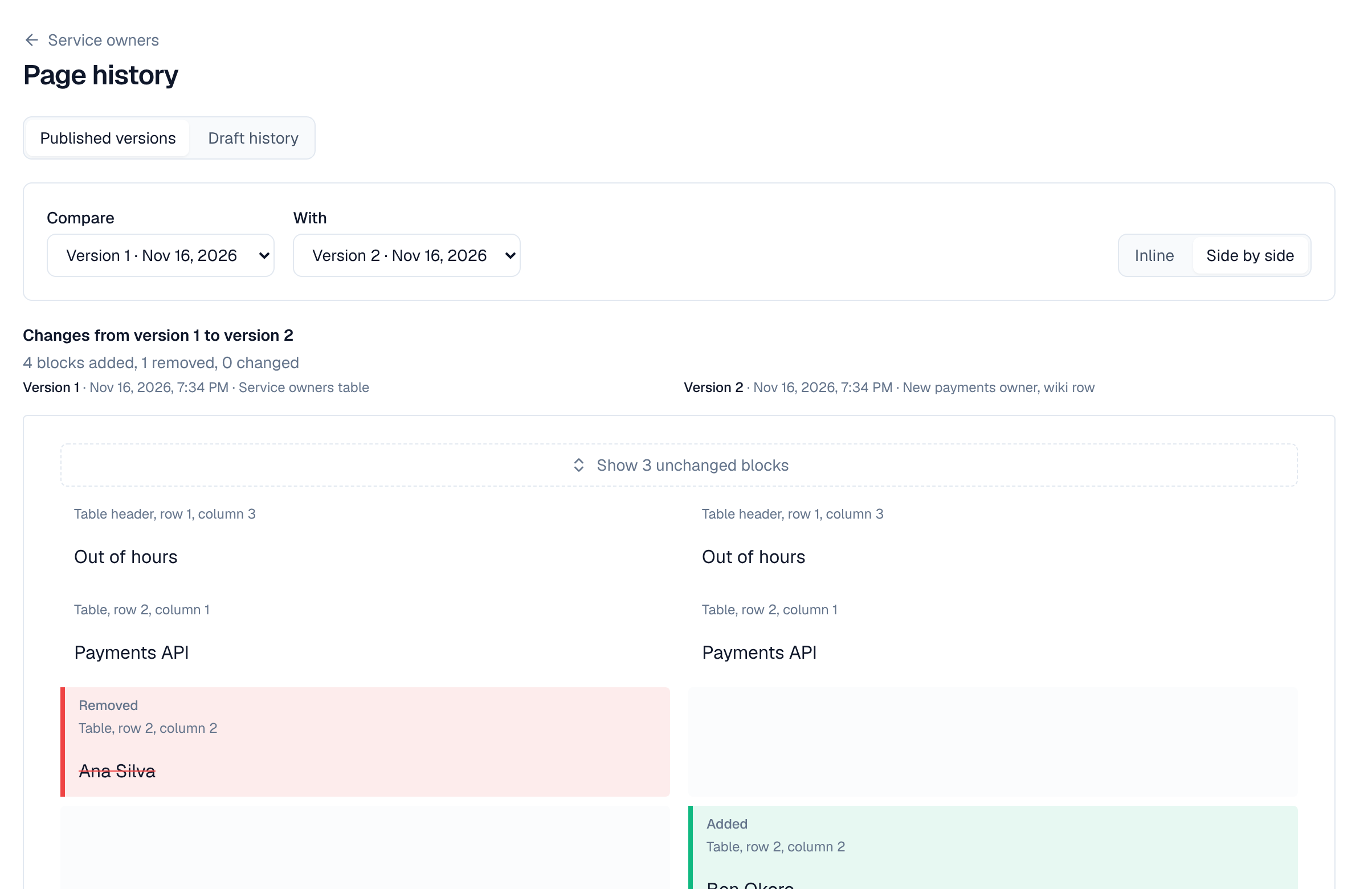
- Pick the two versions in Compare and With: by default the newest against the one before.
- Inline shows the changes in one column, Side by side in two (on wider screens).
- Added and removed words are marked inside each block, and a change the text doesn't show (an image's caption, a table cell, a box's settings) is named under it.
- Unchanged parts are folded; select Show … unchanged blocks to see them.
People who edit the page can switch Show to Draft history to compare snapshots of the draft the same way. See Drafts & publishing.
4. Deleted pages
Deleting a page moves it, with the pages under it, to the space's trash, where people who can edit pages can restore it with all its versions until it is removed for good. See Pages & the page tree.