Settings → Kee → Providers and models holds the accounts Kee uses and the models people may pick. Credentials are encrypted on the server and never shown again after saving.
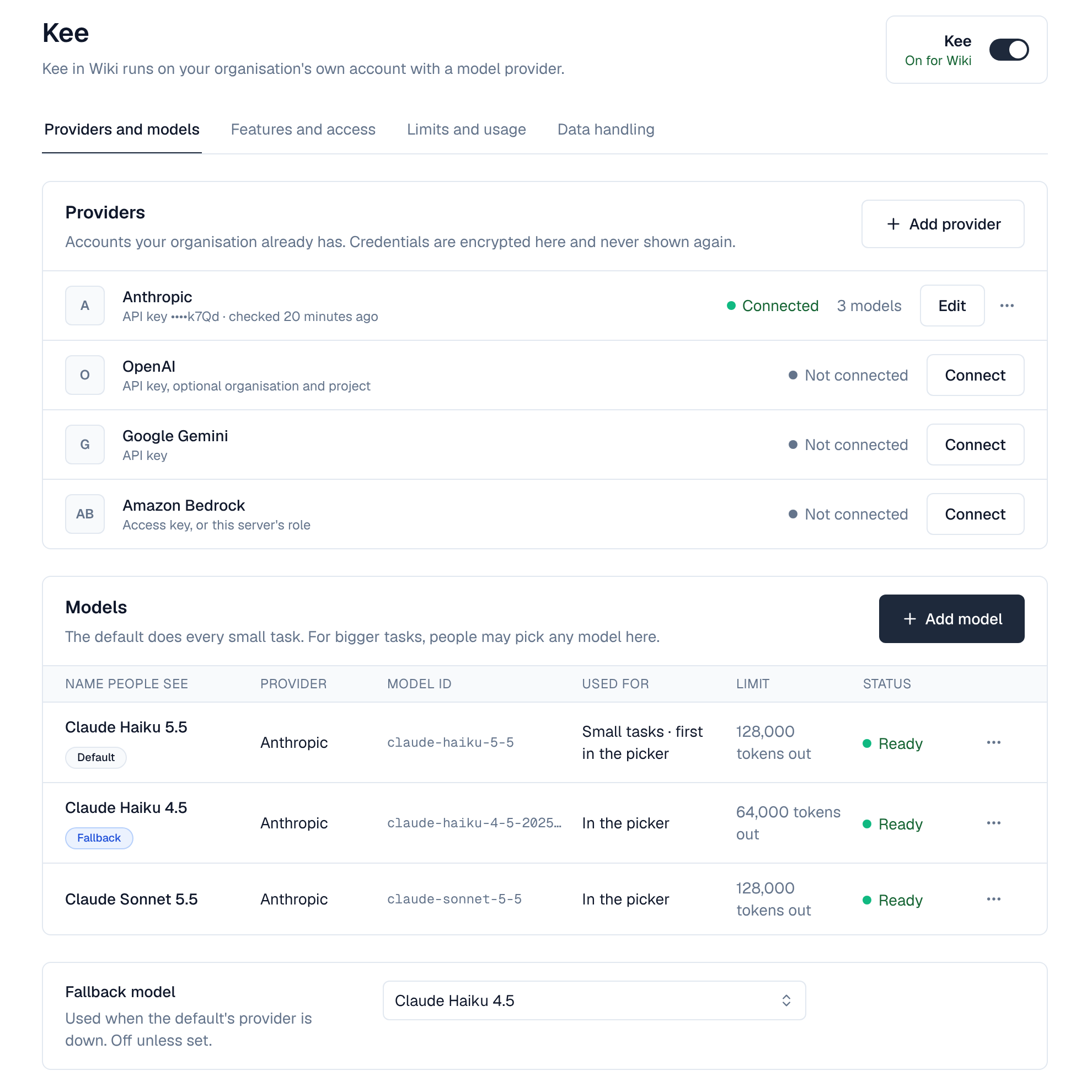
1. Connect a provider
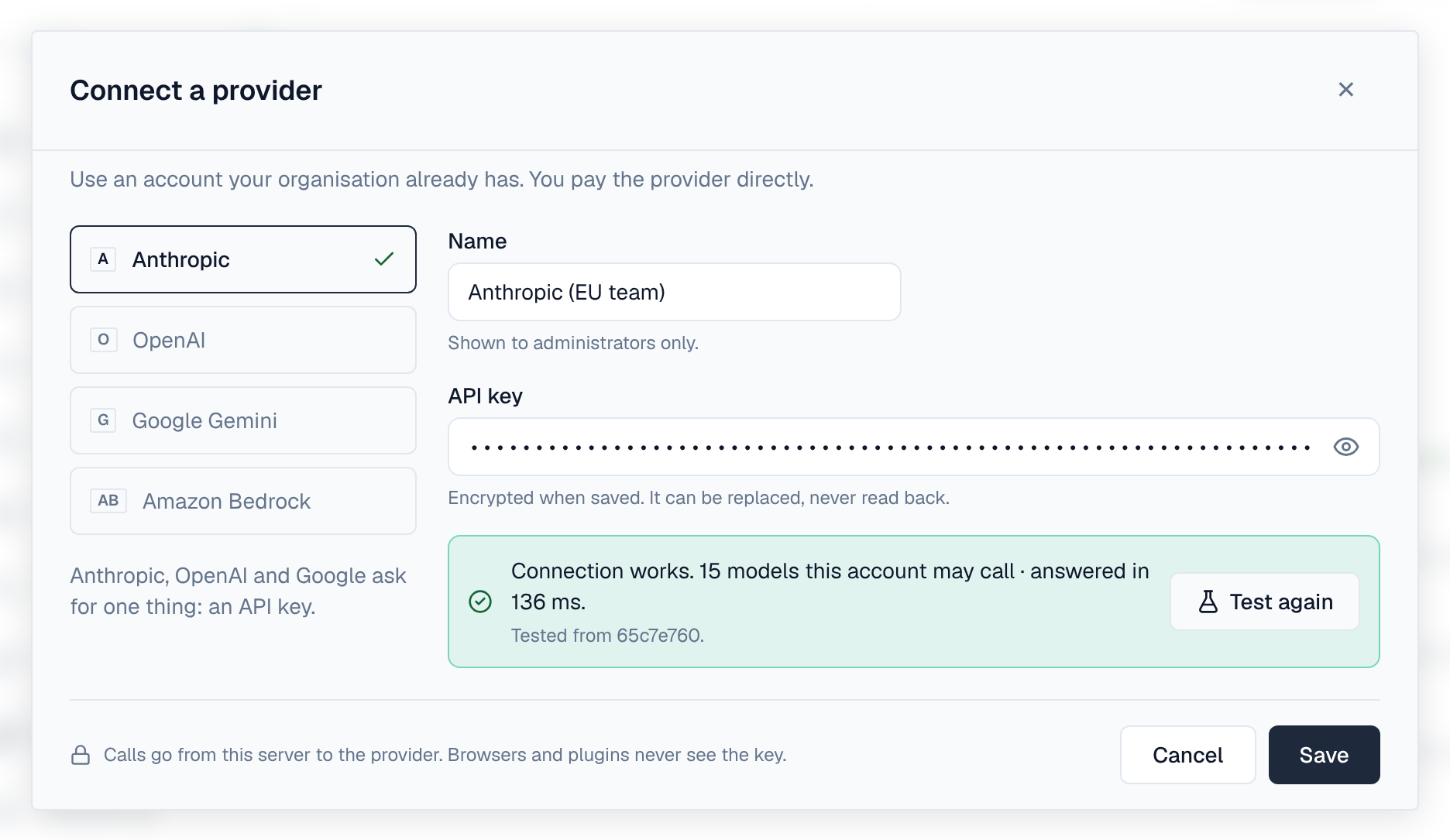
- Open the dialog — Connect beside a provider, or Add provider.
- Fill in the credentials — Each provider asks for different things (below). Name is shown to administrators only.
- Test the connection — Test connection calls the provider from the server and says how many models the account may call and how long it took, or why it failed. Save is only possible after a passed test of exactly what you typed.
- Save — The key is encrypted with the installation's key. The list then shows only its last four characters.
| Provider | What it asks for | Notes |
|---|---|---|
| Anthropic | API key | |
| OpenAI | API key; optional organisation ID and project ID | Its model list includes models that aren't for chat: add only chat models |
| Google Gemini | API key | The Gemini API key, not Vertex AI |
| Amazon Bedrock | Region, and an access key ID and secret access key, or This server's role | See Amazon Bedrock |
- To replace a key, Edit the provider and type the new one; leaving the field empty keeps the stored key. A key can be replaced, never read back.
- Remove deletes the provider's credentials. A provider that still has models can't be removed: remove its models first.
- A failed test says why in plain words (credentials rejected; the account may not do this because of permissions, quota or billing; the server can't reach the provider), with the provider's own message and the server it was tested from.
- Each provider's status shows in the list: Connected, Not tested, Key rejected or Failing.
2. Amazon Bedrock
- Region is where the account's models and inference profiles are called. It decides where your text is processed.
- Access key stores an access key ID and secret access key. This server's role stores no key at all: the server uses its instance profile or pod role. Every server of a cluster needs the same role; the test runs on the server that got the request.
- The role or user needs bedrock:InvokeModelWithResponseStream, bedrock:InvokeModel, bedrock:ListFoundationModels and bedrock:ListInferenceProfiles.
- Models can be foundation models or inference profiles. Bedrock doesn't say a model's limits: type them when you add it.
3. Add a model
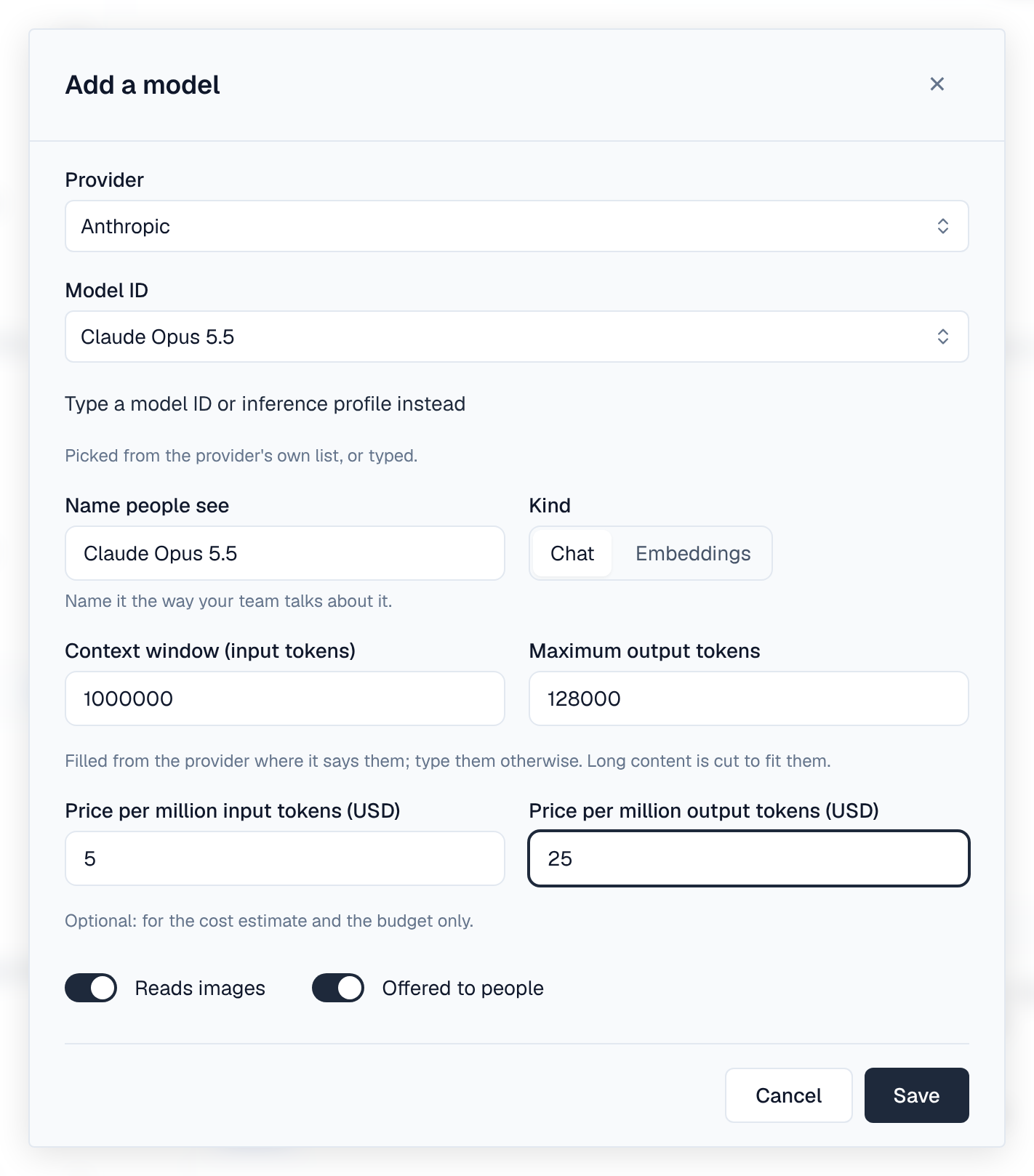
Add model offers a model of a connected provider to people:
| Field | Meaning |
|---|---|
| Provider, Model ID | Picked from the provider's own list, or typed (a model ID or a Bedrock inference profile) |
| Name people see | Name it the way your team talks about it. People pick models by this name |
| Kind | Chat for everything Kee does today |
| Context window and Maximum output tokens | Filled from the provider where it says them; type them otherwise. Kee cuts long content to fit |
| Price per million input and output tokens | Optional, in the currency of your budget. Only for the cost estimate and the monthly budget |
| Reads images | Whether the model accepts images (not used by Kee yet) |
| Offered to people | Off keeps the model in the list without offering it |
4. The default model
- The default does every small task (fixing spelling and grammar, page summaries) and is first in every model picker. Exactly one model is the default; Make default in a model's menu changes it.
- Writing help and Ask Kee let people pick any model that is offered. The picker shows only when there are two or more.
- Pausing or removing the default first asks Which model takes over? A removed model's name stays in the usage records.
5. The fallback model
Fallback model is used when the default's provider is down: busy, rate limiting, unreachable, timing out, or rejecting its key. Kee tries the fallback once, before any text has arrived; the person sees which model answered. A model someone picked never falls back, and a request that was too long or declined isn't retried. A fallback at another provider than the default's needs Enterprise. It is off unless set.
6. Health checks
- Every five minutes each server asks each provider for its model list (no tokens, no cost) and records whether it worked.
- The system check shows AI default model (a default exists and its provider works) and AI providers (each server reaches each provider).
- Administrators get an alert when a provider rejects its credentials, at once, and when it has been failing for five minutes.
7. Network
Calls go from the Wiki's servers to the provider; browsers and plugins never see the key. Allow outbound HTTPS from every server to the providers you use:
| Provider | Hosts |
|---|---|
| Anthropic | api.anthropic.com |
| OpenAI | api.openai.com |
| Google Gemini | generativelanguage.googleapis.com |
| Amazon Bedrock | bedrock-runtime.<region>.amazonaws.com and bedrock.<region>.amazonaws.com |
Provider calls use the server's standard HTTPS_PROXY and NO_PROXY environment and the system's trusted certificates. There is no separate proxy or certificate setting for Kee.
8. Timeouts and retries
A provider that is busy or rate limiting is retried a few times before the first words arrive, never after. An answer that breaks part way keeps what arrived and is marked incomplete: nothing incomplete is put on a page.