AI Assist runs on your own Anthropic API key, which an admin adds under Settings > Integrations. Usage is billed to your Anthropic account, and nothing is sent anywhere until a key is connected. It adds two things to the composer: a Draft with AI starting point and a one-click Quick rewrite for the message.
Running on monday AI credits instead — with no key to manage — is coming through the monday connection. Until then, an Anthropic key is how AI Assist is switched on.
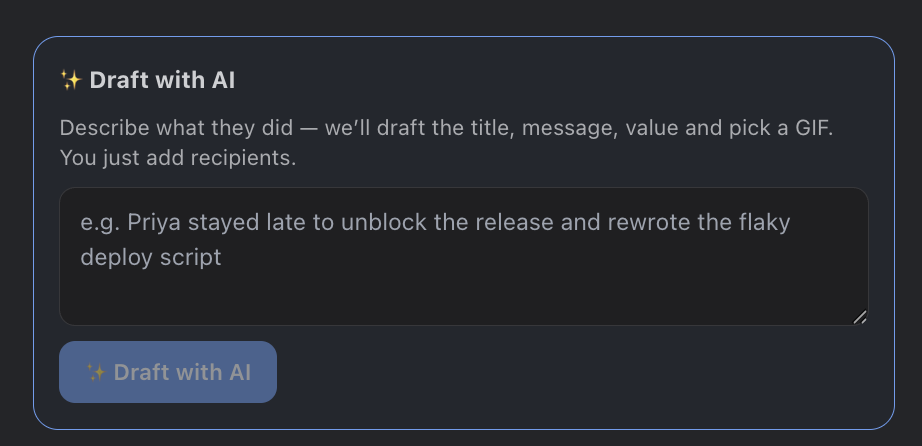
Draft with AI
When AI Assist is on, Give recognition opens with a Draft with AI panel above the card templates (the button also picks up a ✨ sparkle). Describe what someone did in plain language and Recognition Hub drafts the whole card for you:
- Title — a short, punchy headline.
- Message — a warm note written in the second person.
- Company value — the best-matching value from your workspace, auto-selected (or none).
- GIF — a mood-appropriate GIF search runs automatically and the top result is pre-selected.
The draft lands on the compose step with everything filled in and the cursor parked on the recipient field — you just add the people and post. Nothing is submitted automatically, and every field stays fully editable. Press ⌘/Ctrl + Enter in the description box to draft without reaching for the mouse.
Quick rewrite
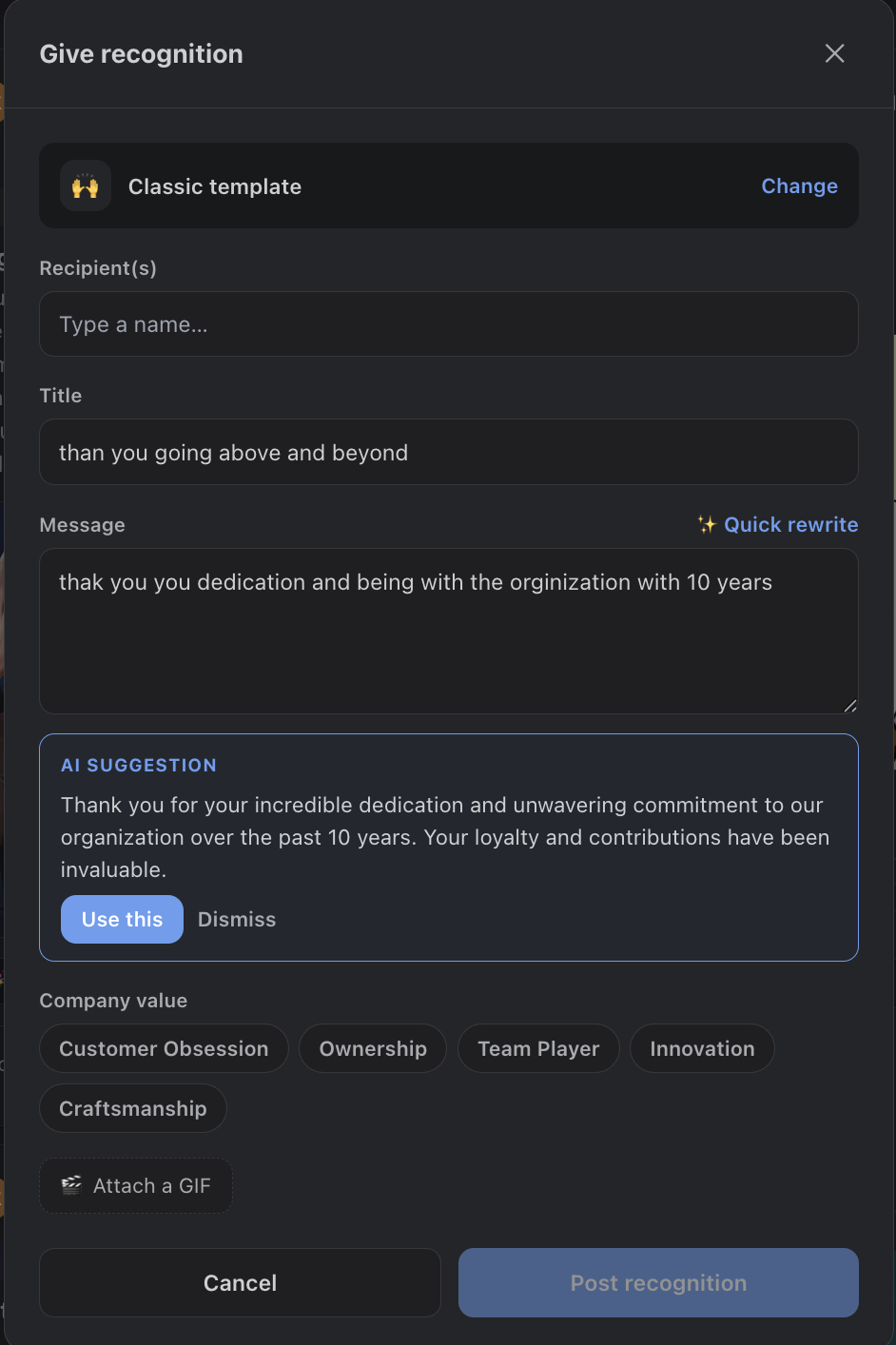
Already wrote a message but want it tighter or warmer? Click ✨ Quick rewrite next to the Message field. AI Assist returns a polished version — keeping your meaning and any names — as a suggestion you can preview, then Use this to drop it into the card or Dismiss to keep your original.
Admin controls
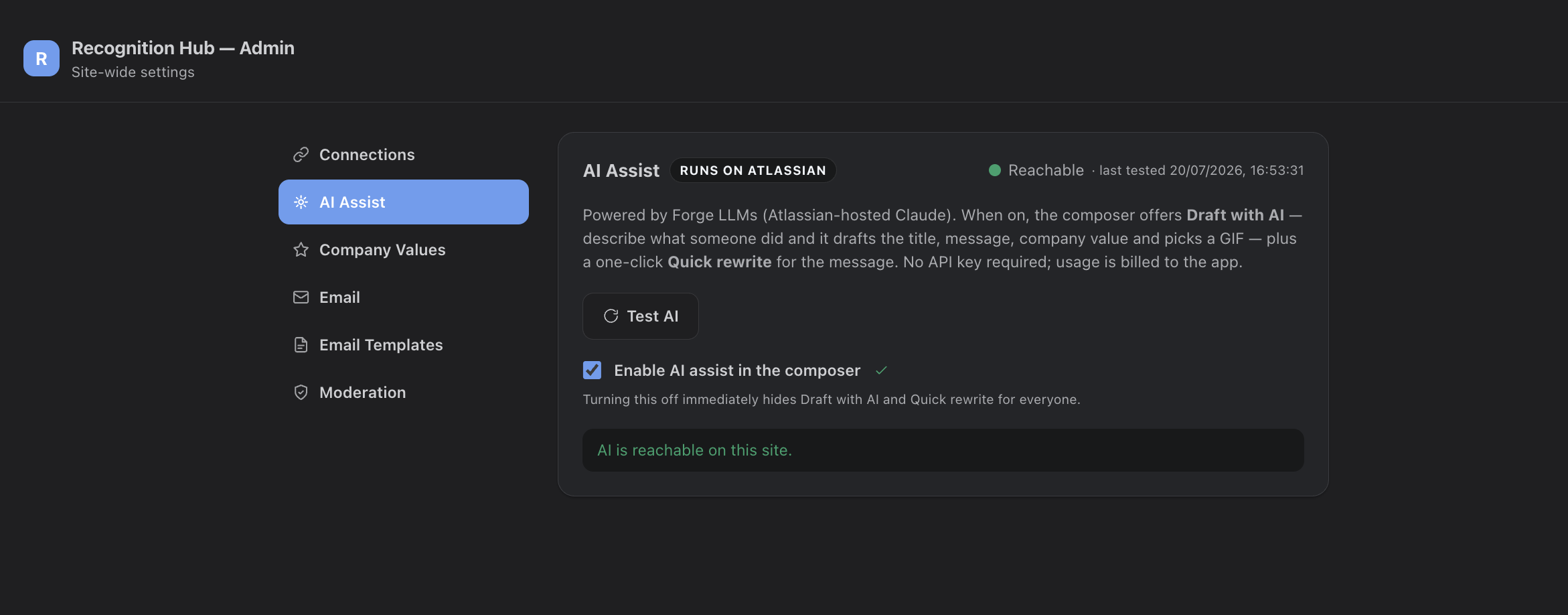
AI Assist sits under Settings > Integrations, beside the monday connection and the other service credentials. Admins can turn it off account-wide at any time, which immediately hides Draft with AI and Quick rewrite for everyone.
- Enable AI assist in the composer — the single on/off switch for the whole site.
- Anthropic API key — write-only, exactly like the GIF and Tremendous credentials. It is never shown again after saving.
- Test AI — a live check that the key works and the model is reachable.
- Graceful fallback — with no key connected, or if the model is unreachable, the AI controls quietly disappear and the composer works exactly as before.
Privacy & billing
- Goes to Anthropic — requests are sent to Anthropic under your own API key and their terms. This is the one AI path that leaves monday.com, and it exists only once an admin connects a key.
- Only what you type — the model sees the occasion or message you provide plus your workspace's company-value names, nothing more.
- Billed to you — usage is charged to your Anthropic account, not to your Recognition Hub plan.