Required Fields
Toggle any question as required to prevent submission without an answer. A red asterisk appears next to required fields.
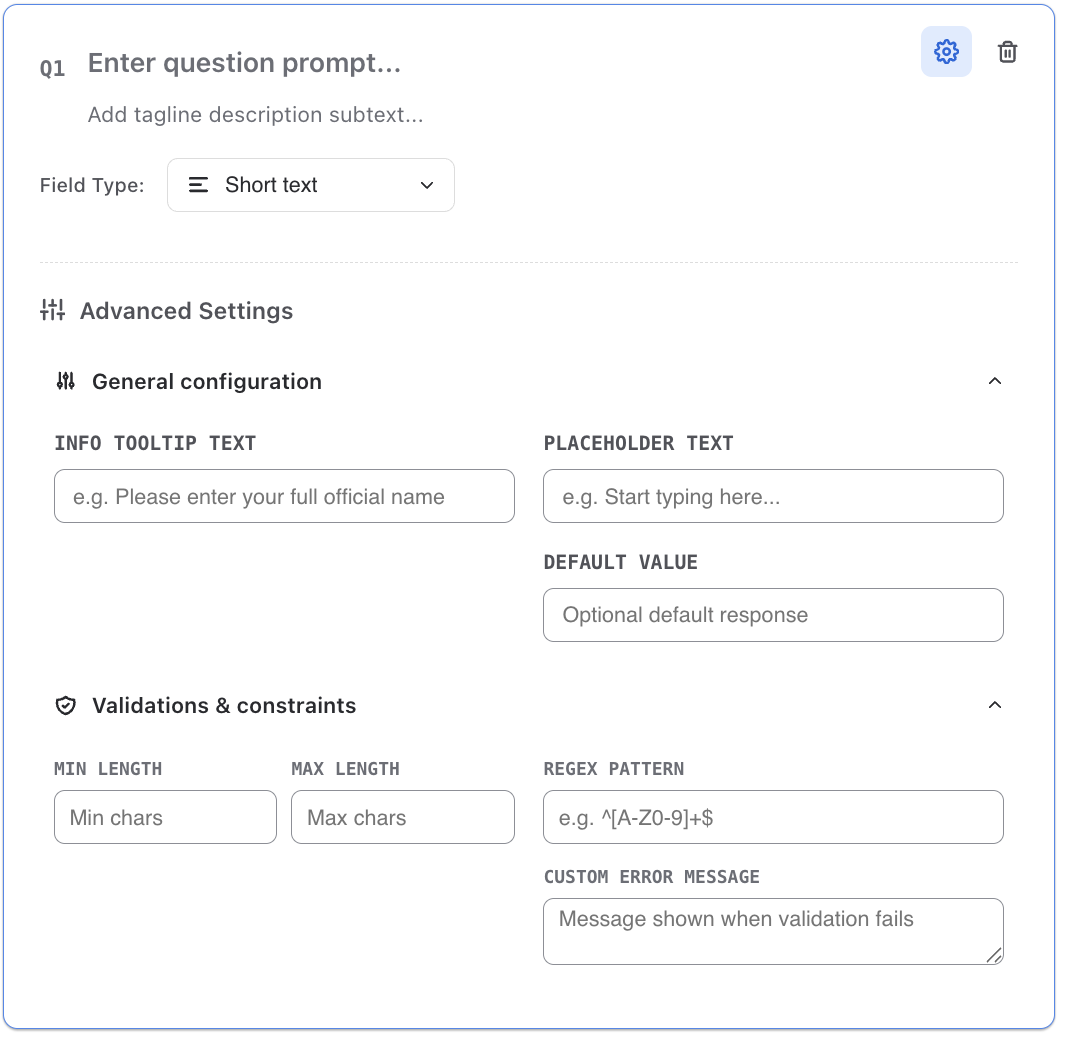
Min/Max Length (Text)
Set minimum and maximum character limits on text fields. Respondents see a live character count and cannot submit if limits are violated.
Min/Max Value (Numbers)
For number fields, define acceptable numeric ranges. Values outside the range trigger an inline error message.
Regex Patterns
Apply custom regular expression patterns for advanced validation — useful for emails, phone numbers, or any structured input format.
Custom Error Messages
Override default error text with your own messages to guide respondents clearly when validation fails.
Per-Section Validation
In multi-section forms, validation runs when the user clicks Next — they cannot advance until all fields in the current section pass.