SECRET VAULT
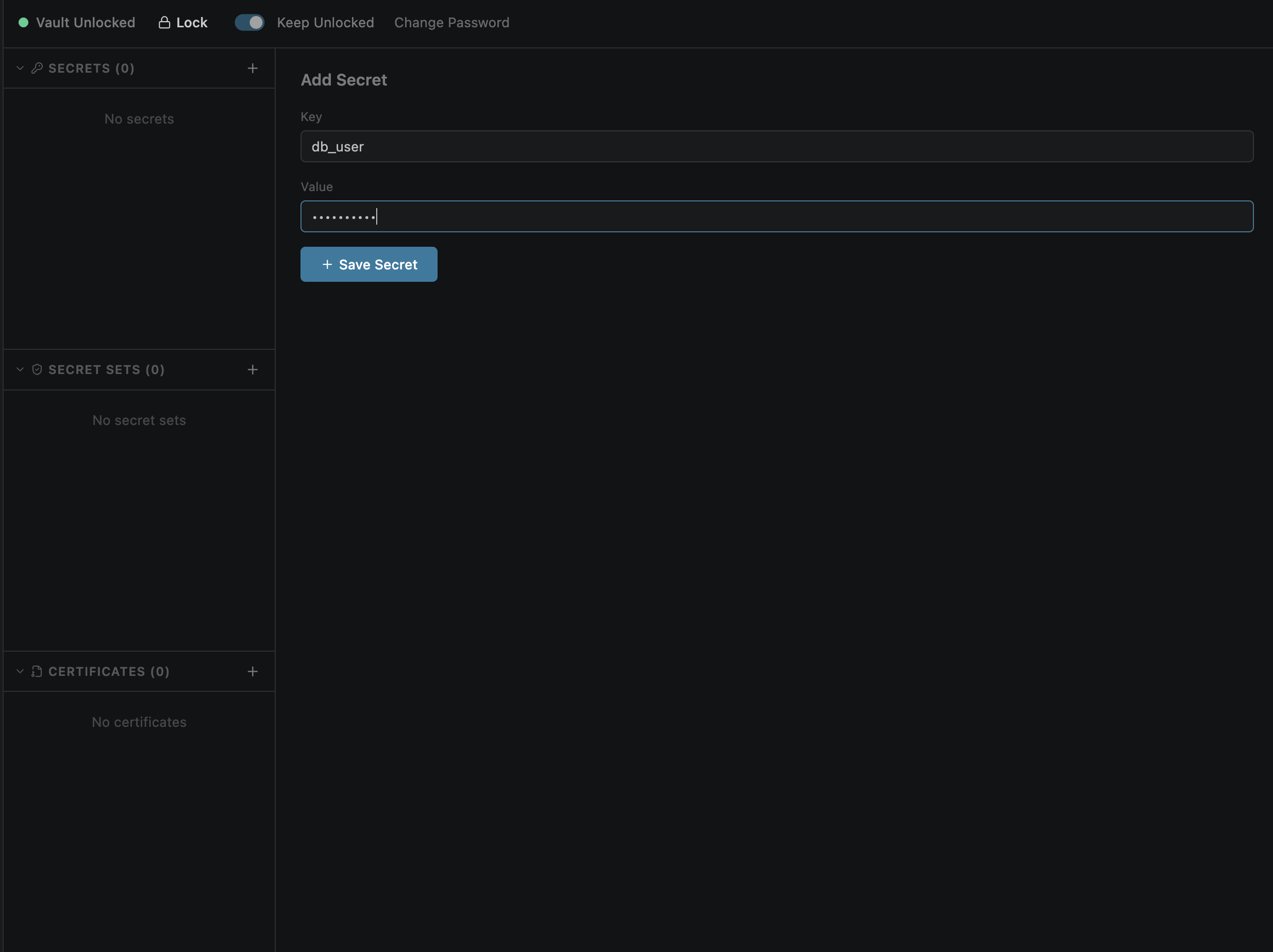
Adding Secrets
The vault must be unlocked before you can add secrets. Once unlocked, click + Add Secret to create a new entry.
vault.encExample secrets:
api_key       = sk-live-abc123
db_password   = p@ssw0rd
stripe_secret = sk_test_...
Viewing Secrets
Secrets are listed with their key names visible. Values are masked by default for security.
•••••• by defaultEditing
Click a secret to edit its value. The key name can also be changed.
Deleting
Click the × button to delete a secret.
vault.enc permanentlyAutomatic Secret Scrubbing
Vault secret values are automatically scrubbed from all persisted data before writing to disk. This prevents secrets from leaking into files that may be committed to git.
Scrubbed locations:
| File | Scrubbed fields |
|---|---|
| history.json | Request headers, response body, cookies, script logs |
| snapshots.json | Response body, headers |
| session.json | Tab responses, auth-injected headers |
| config.json | Collection run results |
How it works:
Literal string replacement — every occurrence of a secret value is replaced with its {{variable_name}} placeholder before the file is written.
Live UI shows real values. The response displayed in the webview is never scrubbed — you always see resolved secrets. Only on-disk persistence is protected.
CLI Commands
Manage vault secrets from the command line:
| Command | Description |
|---|---|
| openpost vault create | Create a new vault |
| openpost vault unlock | Unlock the vault for the current session |
| openpost vault add-secret <key> <value> | Add or update a secret |
| openpost vault list-secrets | List secrets (values masked) |
| openpost vault list-secrets --json | List secrets with revealed values (JSON output) |