SETTINGS & DATA
Free Until December 31, 2026
All features unlocked — no restrictions, no trial limits.
A built-in trial license is automatically applied on installation. You get full access to Advanced Mode including Mock Servers, MCP Servers, Secret Vault, Testing, Scripts, and all professional features at no cost during the trial period.
Free vs Paid
After December 31, 2026, a license key will be required for Advanced Mode features. Simple Mode remains free forever.
| Feature | Free (Simple Mode) | Licensed (Advanced) |
|---|---|---|
| HTTP, GraphQL, WebSocket, gRPC | ✓ | ✓ |
| Collections & Environments | ✓ | ✓ |
| Request History & Tabs | ✓ | ✓ |
| Params, Headers, Body, Auth | ✓ | ✓ |
| Code Export (15 languages) | ✓ | ✓ |
| Import/Export (Postman, OpenAPI, cURL) | ✓ | ✓ |
| CLI Runner | ✓ | ✓ |
| GUI Test Rules & Set Variables | — | ✓ |
| Pre-Request & Test Scripts | — | ✓ |
| Mock Servers | — | ✓ |
| MCP Servers (AI integration) | — | ✓ |
| Secret Vault (encrypted) | — | ✓ |
| Collection Runs & HTML Reports | — | ✓ |
| Per-Request Proxy & TLS Certs | — | ✓ |
Simple Mode features remain free forever — no time limit. Only Advanced Mode features require a license after the trial.
Activating a License
When the built-in trial expires (or if you have a purchased license key), activate it:
- 1Open Settings (gear icon) → click Advanced Mode toggle
- 2The License Activation modal appears
- 3Paste your license key (JWT format)
- 4Click Activate
- 5On success, Advanced Mode enables automatically
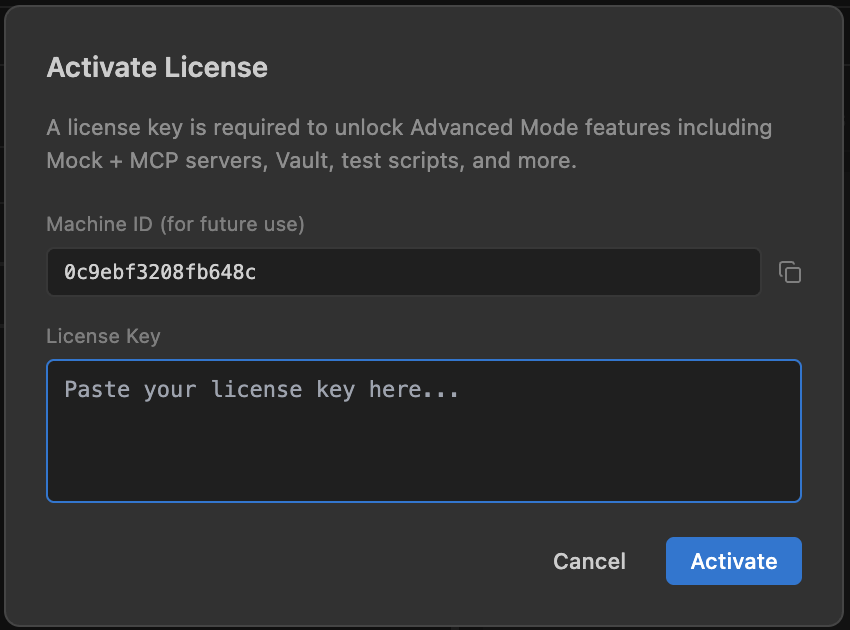
License activation modal — paste your key and click Activate
openpost license activate <your-license-key>
openpost license status
Updating Your License
To update an existing license (e.g., after renewal):
- 1Settings gear → scroll to License section
- 2Click Change License Key
- 3Paste the new key → Activate
To deactivate: Settings → Deactivate License. This reverts to Simple Mode. If the built-in trial is still valid, it will re-apply on next VS Code restart.
Purchase a License
After the free trial ends, you can purchase a license to continue using Advanced Mode features.
$15 / year
Annual subscription for Advanced Mode. Cancel anytime — reverts to Simple Mode.
Purchase License (Coming Soon)Pricing and purchase page will be available before the trial ends.
FAQ
What happens after Dec 31, 2026?
Without a license, the extension reverts to Simple Mode. All your data remains intact — collections, environments, history are never deleted. You just lose access to advanced features until you activate a key.
Is Simple Mode always free?
Yes. HTTP/GraphQL/WebSocket/gRPC requests, collections, environments, history, code export, and import/export are free forever with no time limit.
Is it a subscription?
Yes — $15/year. If you don't renew, the extension reverts to Simple Mode. Your data is never deleted. You can renew anytime to re-enable Advanced Mode.
Does the license require internet?
No. License validation is fully offline — Ed25519 signature verification with an embedded public key. No license server communication at runtime.
Where is the license stored?
In ~/.openpost/global/config.json as the licenseKey field. Global scope — one license covers all workspaces.