CLI
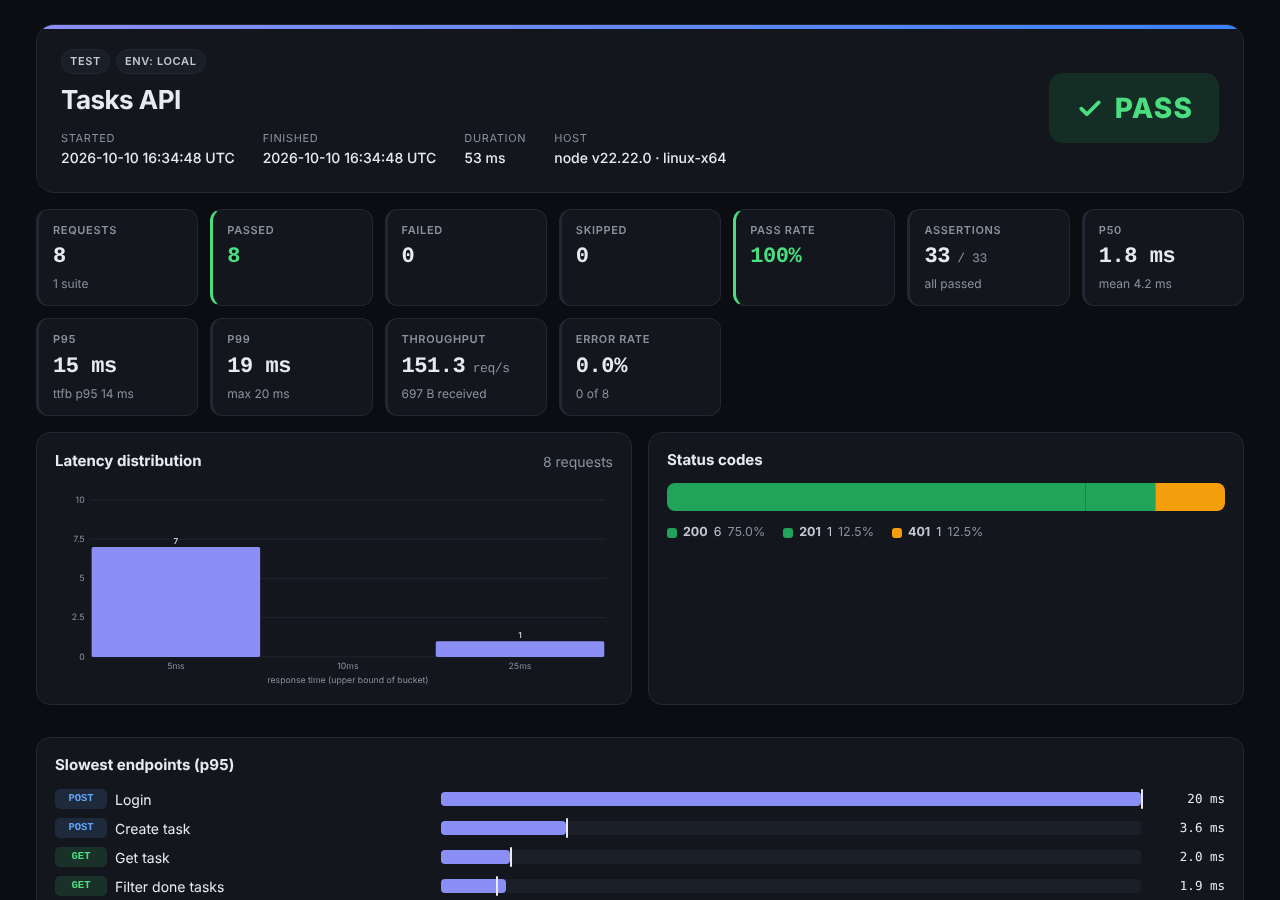
The HTML report from openpost test -r html
Report Formats
openpost test api-tests/ -r html,junit,md,json --report-dir reports| Format | File | Use it for |
|---|---|---|
| html | reports/report.html | A self-contained dashboard to open, share or attach. Light and dark themes, works offline |
| junit | reports/junit.xml | CI test tabs (GitHub, GitLab, Jenkins, Azure) |
| md | reports/report.md | Pasting into a pull request or issue |
| json | reports/report.json | Scripts, dashboards and AI agents |
name:path sets a file, for example -r junit:out/junit.xml. openpost run accepts the same -r and --report-dir flags for collections saved in the app.
What the HTML Report Shows
Verdict and KPIs — pass/fail, request and assertion counts, pass rate, p50/p95/p99 latency, throughput, error rate
Latency histogram and status-code breakdown — plus throughput and p95 over time and the slowest endpoints for load tests
Per-endpoint metrics — count, failures, min, mean, percentiles and max
Every request — assertions with expected and actual values, captured variables, timings (TTFB and download) and request and response headers and bodies, with failed requests listed first
Metrics
| Metric | Meaning |
|---|---|
| p50 / p90 / p95 / p99 | Latency percentiles of total request time |
| ttfb_p95 | 95th percentile time to first byte |
| throughput | Requests per second over the run's wall time |
| errorRate | Share of requests that errored or failed an assertion |
| histogram / timeline | Latency buckets, and requests and errors per second (load tests) |
Secrets in Reports
Reports and console output replace secret values with ••••••: authorization, cookie and API-key headers, every {{$env.*}} and --env-file value, password and token fields, and captured tokens. Pass --show-secrets only when debugging locally.
Merging and Re-rendering
openpost report shard-1.json shard-2.json -r html,junit --report-dir reportsCombine JSON reports from sharded CI jobs into one report, or re-render a saved report in another format
In GitHub Actions, the Markdown summary is also written to the job summary automatically (turn off with --no-gh-summary).
JSON Output
{
  "ok": false,
  "kind": "test",
  "summary": { "requests": 8, "passed": 7, "failed": 1, "passRate": 87.5, "durationMs": 48 },
  "metrics": { "overall": { "latency": { "p50": 2, "p95": 14, "p99": 19 }, "throughput": 166.7, "errorRate": 0.125 } },
  "suites": [ { "name": "Tasks API", "requests": [ {
    "name": "List tasks", "status": 200, "ok": false,
    "assertions": [ { "target": "body $[*].title", "rule": "contains \"x\"", "passed": false, "actual": ["a", "b"] } ]
  } ] } ]
}